I think Marcus the Worm is trying to steal my girlfriend. I mean, I knew my partner was a big fan of his bizarre VRChat adventures when I invited him to move to the island, I just didn’t consider him to be a threat… y’know… romantically.
Wait, let me back up.
Last week, I was given an early crack at Tomodachi Life: Living the Dream, the upcoming Switch release that also happens to be the sequel to one of my family’s favorite wacky life-sim titles. I was also given the go-ahead to provide a little preview coverage, so I dove right in.
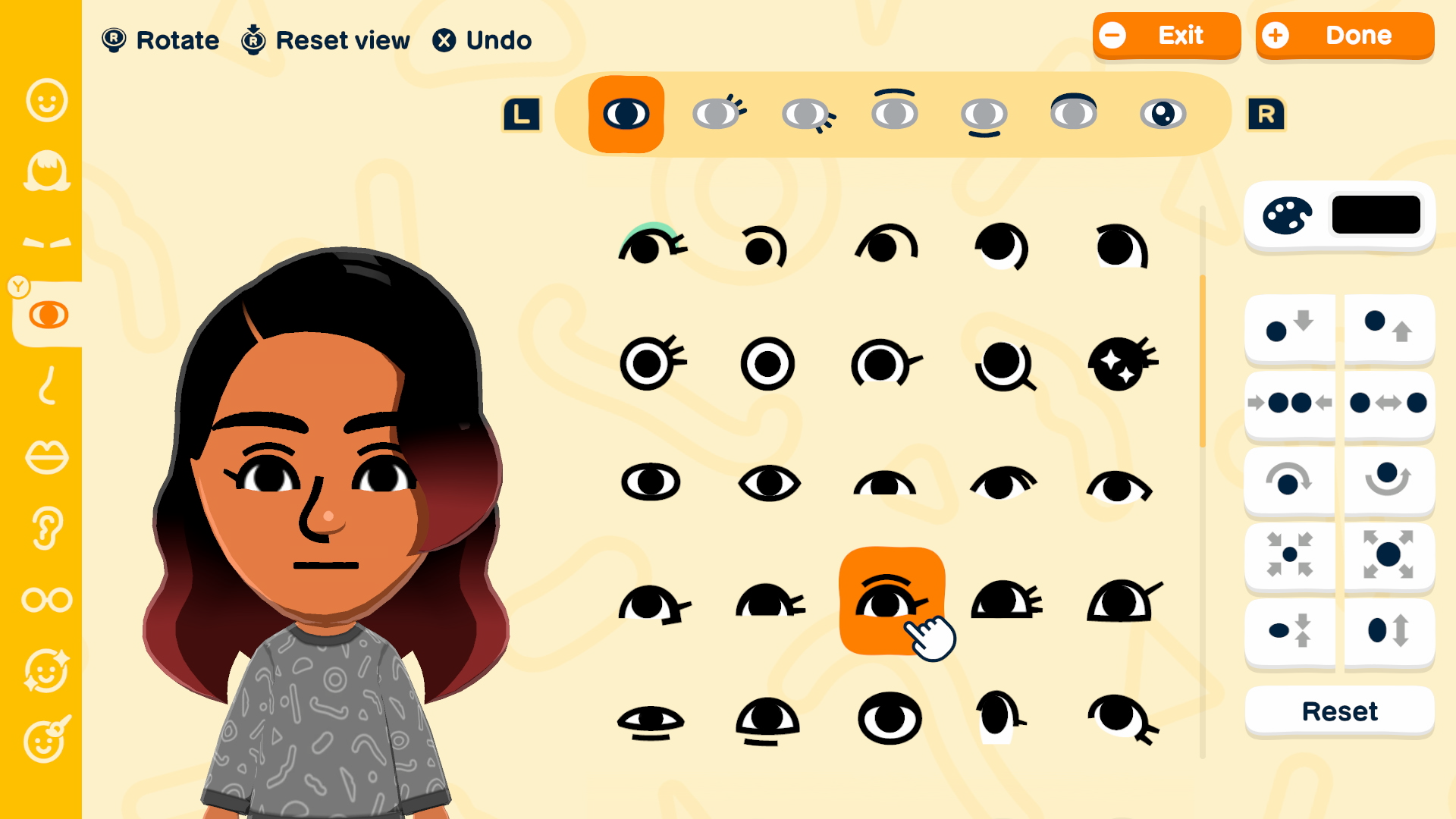
Tomodachi Life: Living the Dream is all about the Miis, so my first order of business was crafting an inhabitant for my island. Unlike the rudimentary character creator of the previous game (which was still very much rooted in the original Nintendo Wii style), this time around, the Mii generation is much more nuanced—rather in the Miitopia vein.
The branching interface starts with the user’s decision to “Get help” or start “From scratch.” “Get help” offers a streamlined approach that asks about age and face shape, skin tone, hair, and other related features, each presented with a simple, single-screen’s worth of options from which to choose.
“From scratch,” on the other hand, gives you a starting choice between one of two vaguely masculine vs vaguely feminine looks, and then drops you into the Mii Maker-proper. There are categories on a navbar to the left and options—lots of options—on the right. This includes the all-important “Add face paint” category, which can be used to paint in finer details to further customize a Mii’s features. While pencilling in some visible stitching on a friendly plushy was the example shown in the recent Nintendo Direct, I found this option to have all kinds of uses, from fleshing out a famed anime protagonist to adding irregular textures to a doughy otherworldly horror.
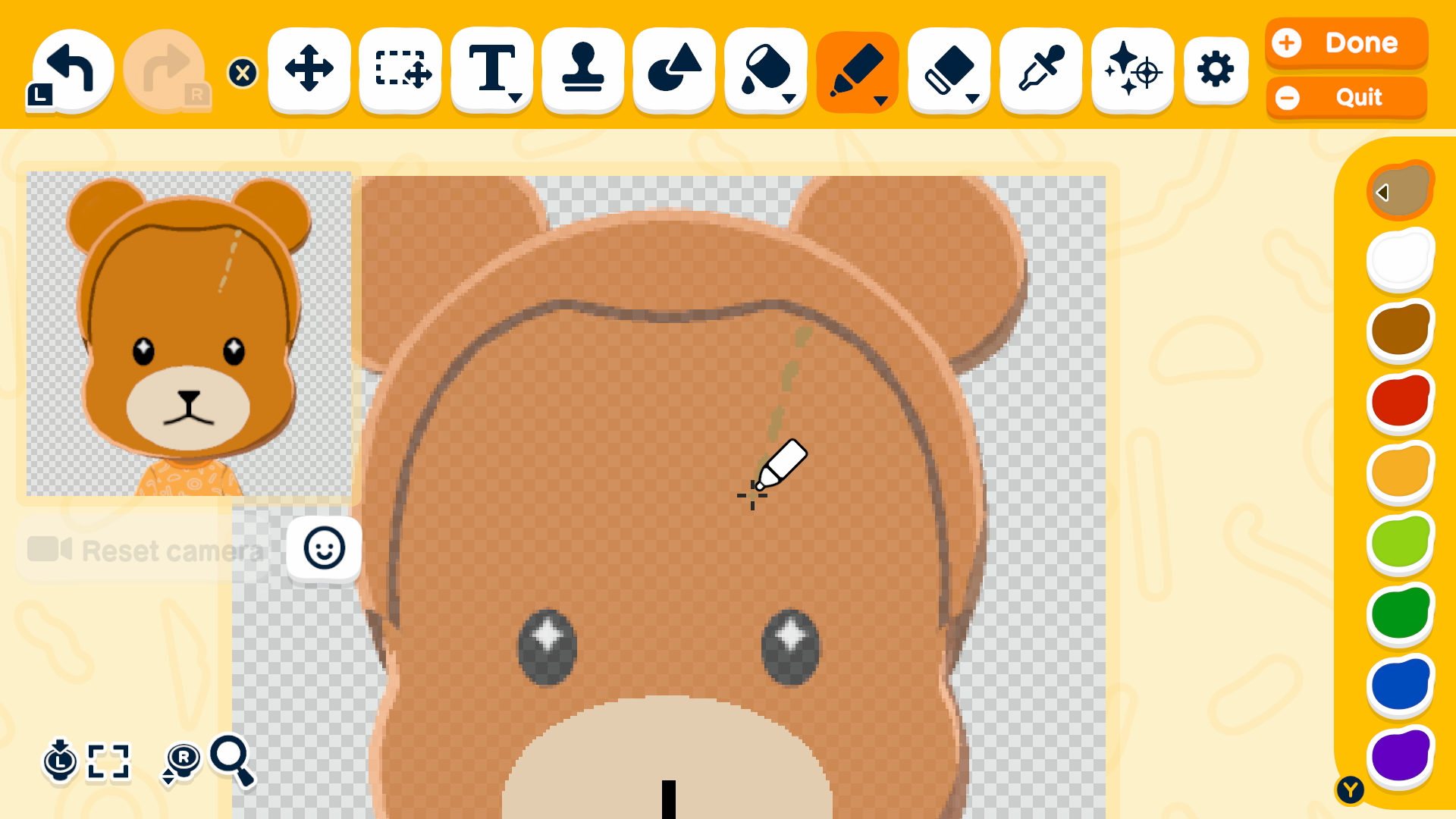
That said, even if you go the simplified “Get help” route, you’re still given a chance via a “Needs work” button at the end of the process to move your character into the full Mii creation studio.
With a Mii designed, you’re asked to configure the height and body type using sliders before providing a name and some demographic information. Gender options include male, female, and nonbinary, and you can also choose some, all, or none of these as your Mii’s dating preference.
Enter a birthday and pick a voice, and you’re taken to the important final step: setting the personality.
Using a series of color-coded Likert scales, you can position a Mii between two (more or less) diametrically opposed ideals—Slow vs. Quick Movement, Honest vs. Polite Speech, and the like. These choices determine both a Mii’s personality and the starting color of their garb and island home. My Mii, for example, was dubbed a Considerate : Daydreamer, a profile associated with the color orange.

You, the player, are also an important part and, as your island’s benevolent caretaker, you’ll pick from a selection of photorealistic hands (with which you’ll occasionally poke and prod your tiny charges to cure their hiccups or ease their intrusive thoughts), and choose how to be addressed. I went with the simple but elegant “Homie.”
With names and roles firmly established, my Mii went down the familiar If You Give a Mouse a Cookie rabbit hole. First, he was hungry (so I purchased some grub from the newly opened Food Mart), then he was lonely (so I created a Mii to represent my girlfriend), and so on. Thus, I attended to his basic needs, levelling up little Zii in the process.
Assisting your characters in such a way, keeping them fed and occupied and otherwise fulfilled, nets you cash—which can be used to purchase food, clothing options, and other amenities—as well as Warm Fuzzies, which I dutifully collected in a glass bottle. This secondary currency can be used at the central Wishing Fountain to level up your island as a whole, making way for, as they say, bigger and better things.
In short order, my two children joined the growing population of Miis, as did JoJo’s Bizarre Adventure‘s Jolyne Cujoh (I used the face paint option to make her iconic space-bun hairstyle) and the aforementioned Marcus the Worm. Yes, I also crafted a bald, mealy-mouthed creature with large, top-set eyes. His personality turned out to be the purple-coded Ambitious : Maverick, which does at least seem lore-accurate.
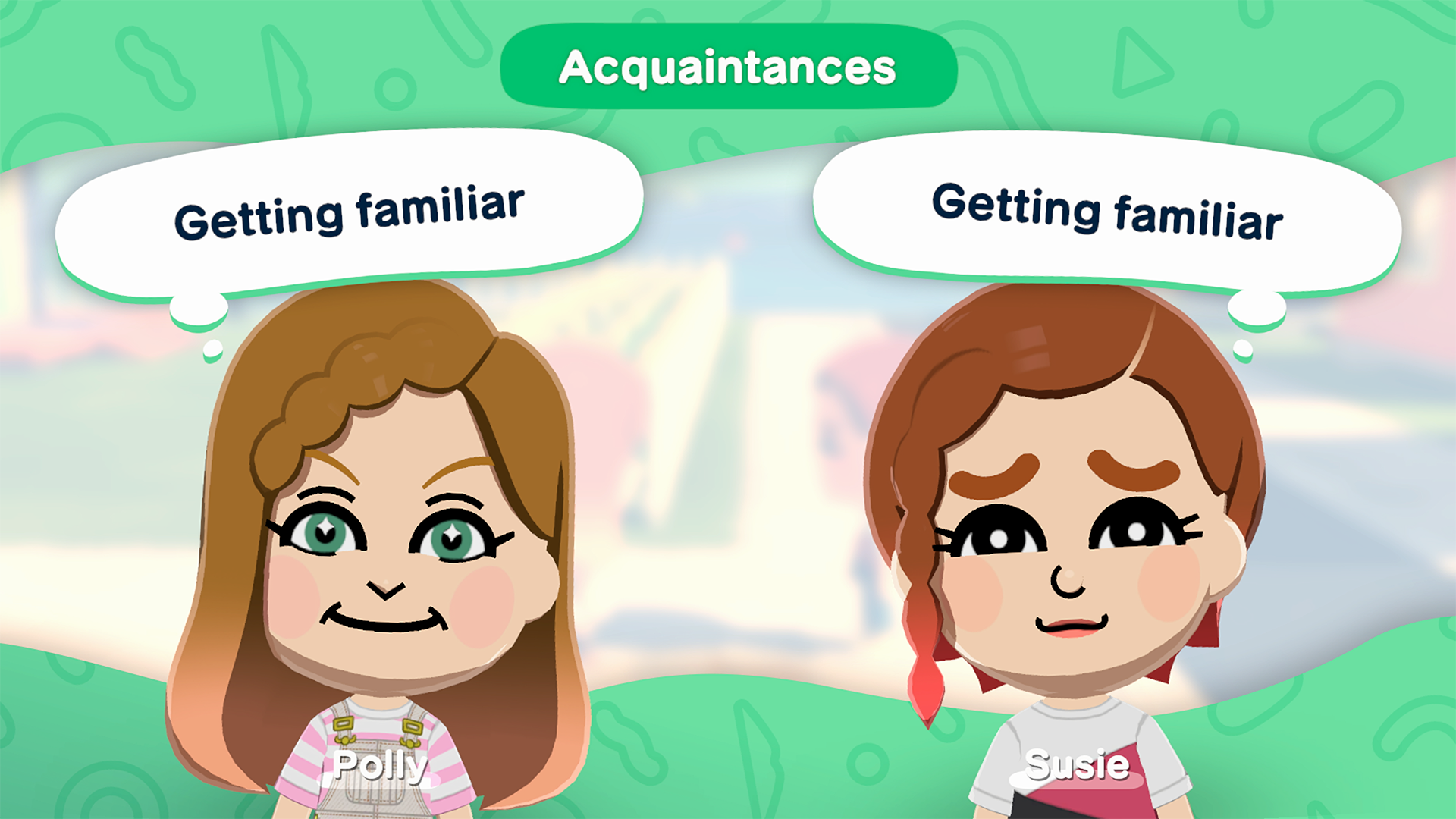
The problem began to arise as my inhabitants became more comfortable, familiar, and independent. Your Miis may need you not only to supply food but also to help them break the ice with other islanders. You’ll provide them with some topics to discuss, a little helpful encouragement, and occasionally even pick them up and drop them next to someone to get the ball rolling. In time, they develop more fully formed personalities, aided by the relationships they foster and the advancements they earn through leveling up.
Obviously, you can try to shape things to your liking, but, alas, you are not an all-powerful deity. And if you’re not careful, you might even find your paramour spending more and more time with a certain deadpan sardine(?) while your Mii stares forlornly out into the ocean.
Tomodachi Life: Living the Dream arrives on the Nintendo Switch family of systems on April 16. This gives you several weeks to deliberately plan out which Miis you will and will not add to your island. I suggest you spend that time wisely. (By which I mean download the brand-new demo!)
Preview materials provided by Nintendo of America. This post contains affiliate links. I’m going to go remove South Carolina.