

My son is an avid chess player, so when I had the chance to check out the GoChess Lite Modern board, I jumped on it. GoChess aims to combine the tactile experience of a tournament-sized chess set with online components, AI coaching, and LED move guidance.
It was fun watching him turn what is usually a computer-based experience in his room into a physical game, whether he was playing against his father or friends online.
GoChess Lite Modern Specifications
The GoChess Lite Modern has some impressive specs for an online-compatible game board.
- Retail price: $299.95
- Full tournament-size board
- 32 chess pieces plus two extra queens
- Two storage pouches for the pieces
- Bluetooth connection to the GoChess mobile app
- Face-to-face, online, and AI play
- Chess.com and Lichess support
- 32 AI difficulty levels
- Lighted moves, hints, and blunder alerts
- Android and iPhone compatibility
- One year of GoChess Pro included
- Battery runtime of around 10 hours
- Charges in about 2 hours via included USB-C cable
Setting Up the GoChess Lite Modern
Physical setup is straightforward, but using the board’s smart features requires charging it and downloading the GoChess app.
During setup, you have the option to integrate it with your Chess.com or Lichess accounts, but it is not required.
The board connects to your smartphone by Bluetooth. When you open the app for the first time, it will ask you for your product key, which is emailed to you after purchase. If you don’t have access to your product key, you can still play. The only difference is that you won’t have access to the free one-year subscription to Pro.
The pieces are magnetic, so they grip the board pretty well without being too strong to pick up (this helps prevent accidental knock-overs too).
Doing the tech stuff is the longest part, but once it’s done, it’s time to put the pieces on the board and play your first game.
Board and Chess Piece Design
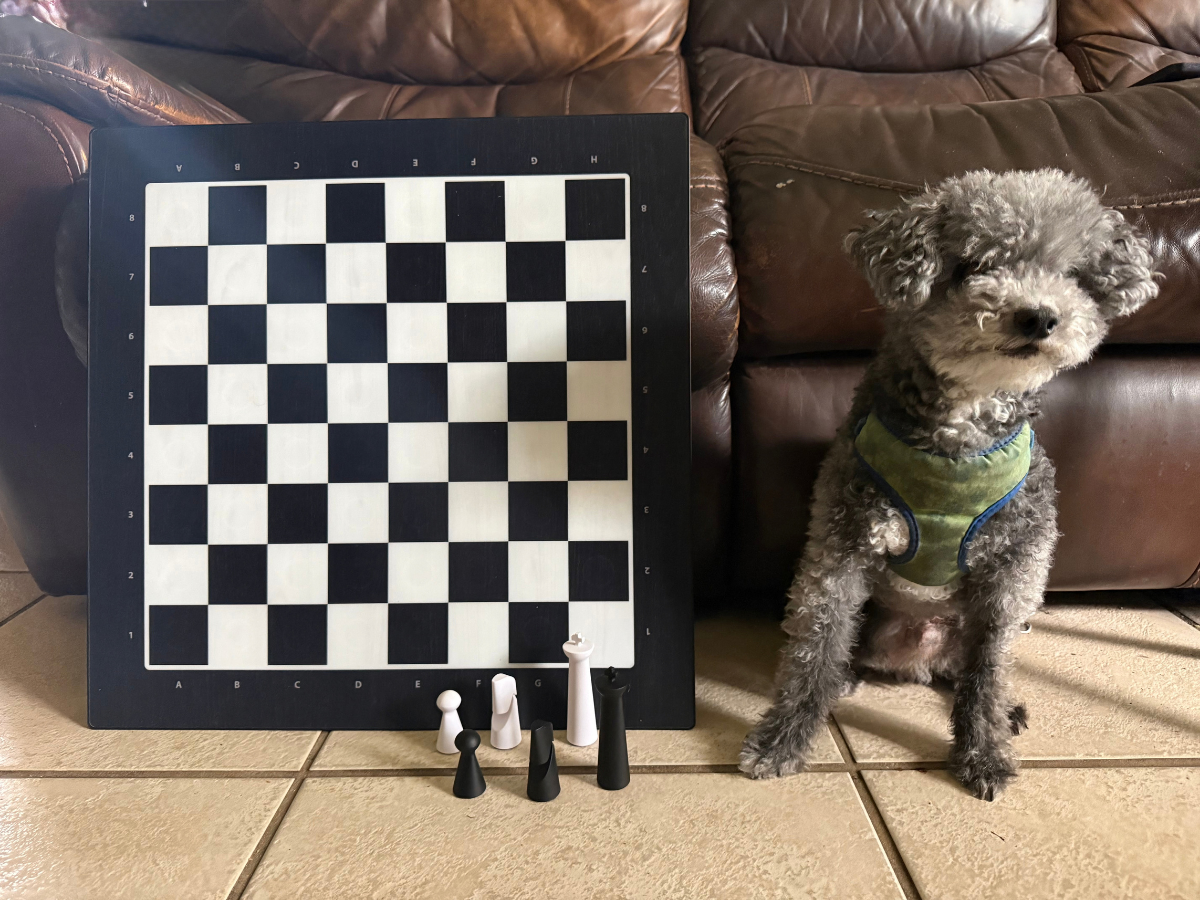
The Modern style board has a lovely black and white finish. For a classic wood look, check out the Classic model (retail: $349.95).
Measuring 19 inches square, the board is thin and lightweight considering its capabilities. The solid pieces have a satisfying weight and account for some of the set’s advertised 10-pound weight.
The default LED brightness is set to be easy on the eyes but still get the point across. You can adjust the levels up or down in the GoChess app.
You get two storage pouches for the pieces, and each color comes with an extra queen for pawn promotion. You can set it to promote automatically while playing, or you can manually do it when the time comes. I wish the board itself came with a sleeve to protect it, but for now, we just put it all back in the box.
Something worth noting is that your phone has to stay connected and in the app the entire time. You can’t leave the app or let your phone go to sleep. With that said, I wish the app would work in the background so your phone could go to sleep while you play and conserve power.
If you switch away from the app to check a notification, the board’s lights turn off. Once you reopen the app, gameplay resumes.
My suggestion is to temporarily disable Auto-Lock or the sleep function on your phone while playing to avoid disruptions.
Game Play Options
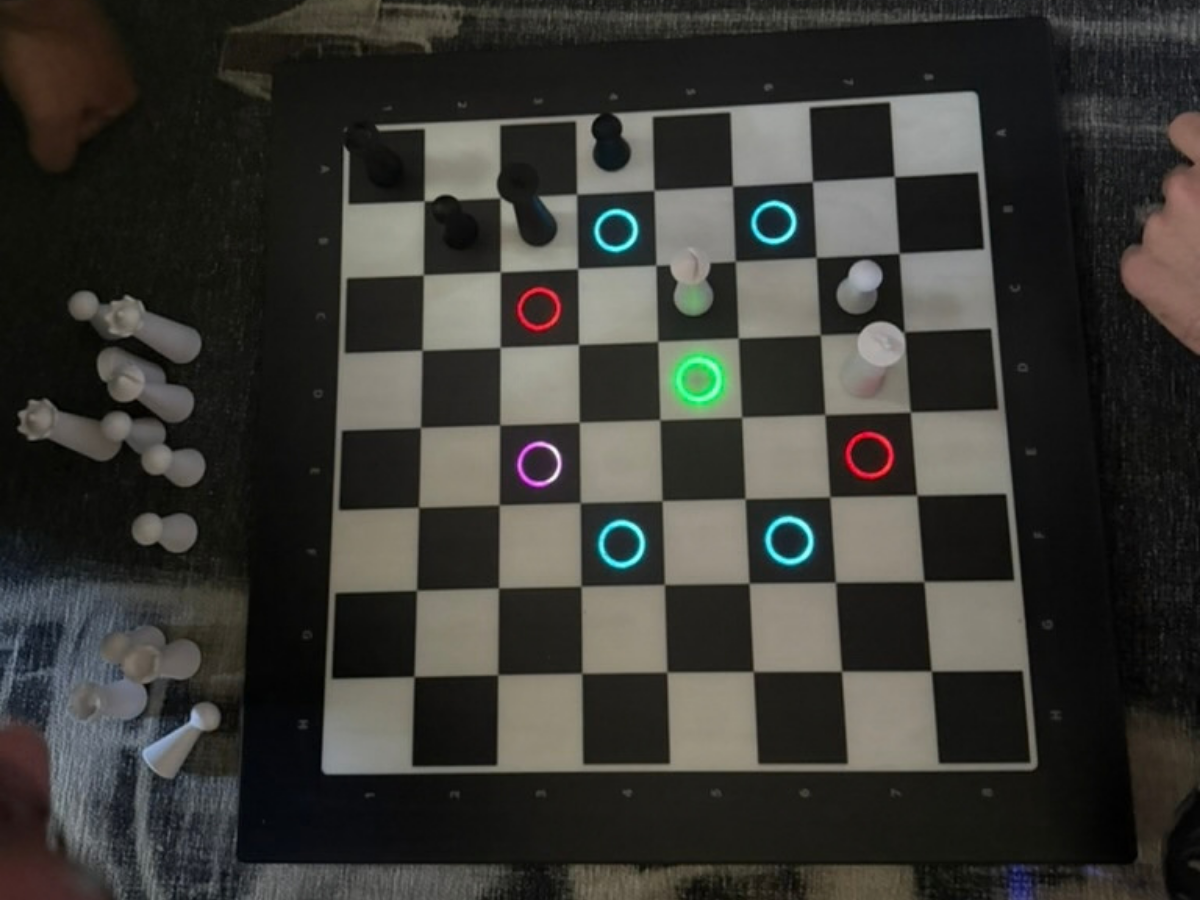
You can play with the board three ways: face-to-face, against the GoChess AI, and via your online Chess.com or Lichess accounts. Each provides a different experience. Let’s walk through how they’re different and what gameplay is really like.
Playing Face-to-Face
Playing face-to-face is interesting to watch because of the LED integration. The LEDs do not detract from the experience and, depending on your game settings, can show which pieces are available to move, offer hints, flag blunders, and indicate illegal moves detected by the board.
When it’s your turn, the board illuminates available pieces in green and highlights the recommended piece in purple.
Once you pick up a piece, blue indicates available moves, purple indicates the best suggested move, green indicates a legal but less favorable move, and red warns against a poor move.
If you have two players of different skill levels, you can customize the hints for each player. I’m a novice chess player while my son is advanced, so the board can give me hints without giving him the same assistance. It’s kind of like when you go bowling and one player needs the bumpers, but the other doesn’t.
Playing Against the AI and Using Coaching Lights

When going against the AI, you have the option to choose the AI skill level. One thing my son found a little frustrating is that the AI’s skill is measured in levels rather than an Elo rating. Elo is the rating system commonly used to measure chess players’ relative skill. Because the app offers AI levels from 1 to 32, it is difficult to determine how each level compares with your Chess.com rating.
My son played against the AI, and he said it was about the same as playing against any other AI he’s been up against. The AI player’s move usually lights up within about a second after you complete your move. If you move the AI’s piece to the wrong square or pick up the wrong piece, the board will not accept the move and waits for you to correct it.
GoChess describes the board as coaching you along the way, but how helpful that coaching is depends on your learning style. If you see it suggesting moves but you don’t understand why, it’s hard to learn for future games. If you can see the hints and understand why without any guidance, then this would be helpful.
In a future update, I’d like to see the app give explanations for the hints for those that can’t learn just by observing the choices and consequences.
Playing Online Through Chess.com and Lichess
You have the option to connect your Chess.com or Lichess accounts to play against friends or other online players. Currently, you are unable to play against the Chess.com bots.
In my testing, I found the GoChess integration to be a bit cumbersome and confusing. The gameplay didn’t show the entire game on the iPhone screen, and I had to scroll up or down to view the board and the gameplay notes.
Just like with face-to-face play or AI coaching through the GoChess app, your phone has to stay awake and in the app to play via your online accounts.
GoChess App and Pro Membership
There is a subscription service available for the board, but it is not required to play. The Pro membership ($9.99 per month, billed annually, for a total of $119.88 per year) gets you advanced integrations, advanced hints and highlight functions, progress tracking and game history stats, as well as access to all future features and updates.
Every board comes with one year of Pro with the product key you get in your email after purchase. We did not activate the included Pro membership for this review and enjoyed the board without it.
Keep in mind that the membership automatically renews after the included year unless canceled.
Who Is the GoChess Lite Modern For?
The GoChess Lite Modern board is for chess players who enjoy the physical aspects of the game but want to play against online competitors. It’s also a good fit for anyone wanting to learn on a physical board but through AI coaching, puzzles, and move guidance. If you have family or friends who live too far to make a face-to-face game practical, this gives you a way to play and have that physical aspect without actually having to be together.
I would not recommend this board to anyone primarily seeking a traditional, screen-free chess experience. Although it can function as an ordinary board, its price makes the most sense for players who will use the coaching and online features.
Final Move: Is the GoChess Lite Modern Worth It?
Overall, the GoChess Lite Modern offers a helpful combination of physical play and digital coaching. If your family enjoys games with a bit of tech or wants to play remotely against friends and online opponents, it allows for the physical aspect of the game without having to be in the same room. I really like how you can have two players of different skill levels still enjoy the game together and level the playing field, so to speak, by customizing the hints given. The GoChess Lite Modern board is available at Particula-Tech.com.
Disclaimer: GeekDad was given a review sample.

Dakster Sullivan

Dakster Sullivan has a degree in Computer Engineering and Media Communications. They love discovering new books to read, tech to play with, and ways to express themselves. They have anxiety and depression and strive to educate others about these invisible illnesses.

