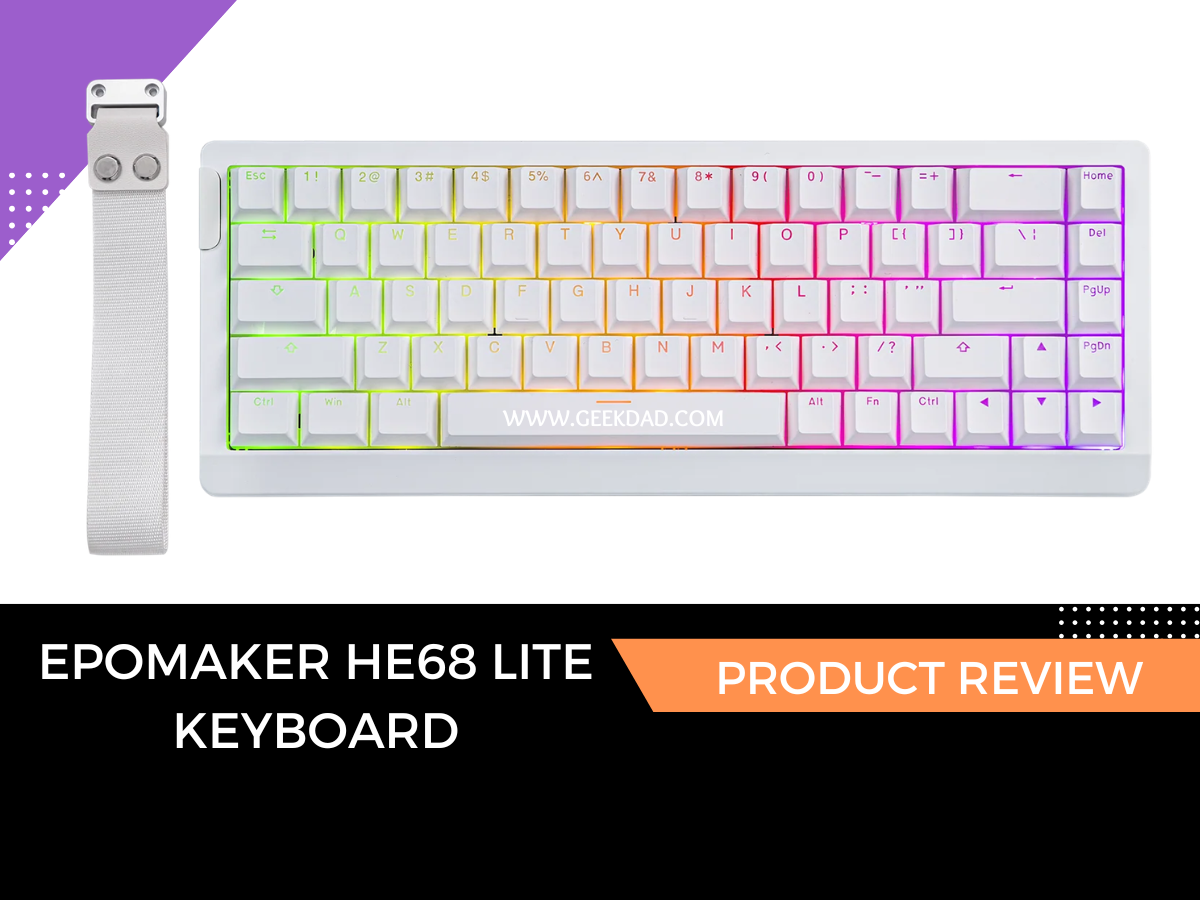
The Epomaker HE68 Lite is a slimmed-down mechanical keyboard that does away with any bells and whistles and sticks to what it’s good at. It’s aimed at gamers with the Hall Effect switches (more on that in a minute) and a 65% layout size. It also comes with a wrist strap to carry it with you. At $50, this is what I would consider the most entry-level and affordable mechanical keyboard I’ve seen so far. I mean that with high praise, because even the more expensive keyboards do not offer the key personalization this one does.
Epomaker HE68 Lite Specifications
In terms of specs, the Epomaker HE68 Lite is as physically basic as they come for mechanical keyboards, but that’s not necessarily a bad thing. It makes up for its simple appearance by being exceptional under the hood, especially for gamers.
Here are some of the more important things to note:
- 65% layout size
- Hall Effect switches
- Wired connection
- RGB lighting
- 0.1 mm–3.4 mm adjustable actuation
- 5-layer sound dampening
- 8,000Hz polling rate
- Hot-swappable Hall Effect features
- Cherry Profile keys
- Rapid Trigger, SOCD, DKS

Design and Build Quality
The 65% layout saves a lot of space on my desk in comparison to other keyboards. I don’t use a number keypad in my day-to-day work, so I don’t notice that so much (but if my AutoCAD brother got a hold of this one, he’d probably mourn the missing functionality).
The overall design is great and works well. I love how the keys are just loud enough to scratch my ears but not loud enough that my husband has to leave the room to take a nap. It comes in at one pound three ounces, which isn’t bad. The weight is says, “I’m here,” but not heavy enough that it would bother me to toss it in my backpack for a road trip.
My one “ehh” about this keyboard is the lack of feet to adjust the height. It lies flat on the desk, and that gets a little uncomfortable for my hands and wrists. If I had a wrist support, it probably wouldn’t be as noticeable.

Typing and Gaming Performance
A major difference between the HE68 Lite and the previous Epomaker keyboards I’ve reviewed is the Hall Effect switches. I’ve said that a few times now, so let’s dive into what it actually means.
What are Hall Effect switches?
Traditional mechanical keyboards use switches that rely on physical contact being made to register that a key was pressed.
Hall Effect switches rely on magnetic sensors to detect movement. This is what allows you to adjust the sensitivity for faster response times and the more advanced gaming features like Rapid Trigger in gaming. When I showed my gamer son this keyboard, he was like, “ehh, I’m good,” and then I told him it has Hall Effect switches, and he quickly changed his tune (his eyes lit up like it was the first day of a Steam sale).
For everyday typing, the Hall Effect switches may be overkill, but that doesn’t stop me from enjoying it. Tactically, they have a different feel to them that just hits the right spot ASMR-wise.
The included keycaps use the Cherry Profile. If you enjoy customizing your setup, you can also swap the keycaps out for other Cherry Profile sets. My son has the Epomaker AegisSil Keycaps set on his keyboard, and they are a nice upgrade to the ones that come standard.
Gaming Performance
In terms of gaming performance, it held up really well. My son plays a variety of first-person shooter (FPS) games, and he reported back that the response times were faster than on any other keyboard he’s used.
Casual players may not notice every feature, but I think competitive gamers will appreciate diving into the adjustable actuation settings to get them tuned just right for their gaming needs.
Software and Customization
To test the beginner-friendliness of programming the HE68 Lite, I handed it over to my son and let him have a try at it. He’s not the type to look at a manual before diving in, and that worked in this case, because he was able to adjust settings and calibrate the keyboard without needing to look up instructions. I think that’s a good sign for beginners who want to try out customization without the headache of a learning curve.
When I asked him what he thought about the keyboard, his response was quick and to the point. “Really responsive, I like how compact it is, sounds nice and snappy. The installation was easy, and calibrating it was quick. Overall, very happy.” He’s a young adult of few words, but for him, those words spoke volumes.
Pros and Cons
When it comes to the pros and cons of the HE68 Lite, I have to say the pros outweigh anything remotely negative.
Pros
- Responsive Hall Effect switches
- Compact footprint
- Customizable actuation
- Affordable
Cons
- Wired only
- No feet to adjust the height
Who Is the Epomaker HE68 Lite For?
The Epomaker HE68 Lite is an ideal keyboard for anyone wanting to get into mechanical keyboards on a budget. It’s also ideal for gamers who don’t mind a wired setup in exchange for the customization of the actuation and responsiveness of the Hall Effect switches.
It’s a great size to toss in your bag and travel or for smaller desk setups.
As far as mechanical keyboards go, the keys give a satisfying feel under your fingers as well as a sound that is enough to know you’re working on a mechanical keyboard without announcing it to the floor above you at work.
Final Notes
Epomaker has yet to disappoint me. When I first opened the box of the HE68 Lite, I was unsure how something so basic could meet the bar set by the previous keyboards. Once I realized the importance of the Hall Effect Switches in a gaming environment and double-checked the price tag, I realized it’s small, but it’s mighty where it counts. The HE68 Lite is proof that sometimes you don’t need a lot of bells and whistles or a high price tag when it comes to quality.
The Epomaker hE68 Lite is available from Epomaker and retails for $50. It comes in three colors: black, white, and black and red. Each keyboard comes with a wrist strap and spare key parts.
If you are looking for a mechanical keyboard that has some neat bonus features, check out my review of the Epomaker RT82. And if you like your keyboards mechanical but not loud about it, I highly recommend you check out my review of the Epomaker TH80 V2 Pro.
Disclaimer: GeekDad received a review sample.