
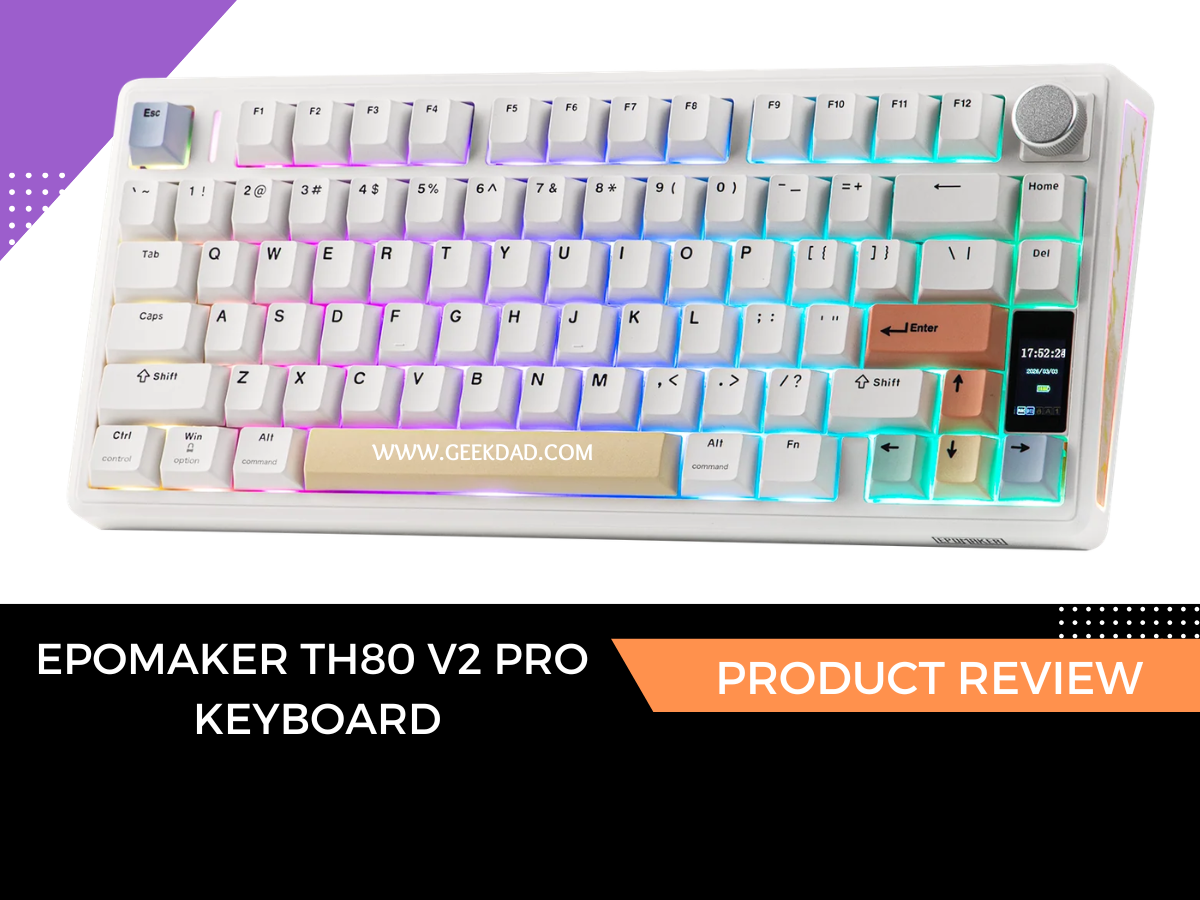
Epomaker TH80 V2 Pro with the Sea Salt switches is a welcome refresh from other mechanical keyboards I’ve tested. This is the first time I’m testing a new switch type as well. For this review, I put it through its paces with not just my daily work, but gaming as well. Let’s get into it.
Specs and Features
Specs:
- 75% layout
- Connects via Bluetooth, 2.4GHz, and USB-C
- Hot-swappable PCB
- Gasket mount
- RGB lighting
- LCD screen
- Programmable features
- Two switch options
The Epomaker TH80 V2 Pro is a good introduction to mechanical keyboards. At around $80 (pricing depends on color and switch choice), it’s not too much of an investment to see if you will enjoy using one, but it’s also a quality keyboard that feels nice and sounds good for daily use.
Compared to other mechanical keyboards on the market, you get a little more for your money with an LCD screen that serves a purpose, hot-swappable keys, tri-mode connectivity (Bluetooth, included USB-C cable, or 2.4GHz), and programable knob. It also lets you switch between Mac and Windows with a simple slide of a switch.
You can program the knob to do your bidding or leave it at the default, which is to adjust the volume on your device. You can also use it to go through the menu items on the keyboard’s built-in screen.
 Speaking of the screen, you can add little GIFs for entertainment value, and you can control the inner workings of the keyboard’s lights, including the pattern, color, and speed. It also tells you the time, date, battery charge, and connection type.
Settings For Advanced Users
If you have experience with mechanical keyboards or programming, you will be happy to hear that you can do more than meets the eye with the TH80.
The keyboard’s Chrome-based software works online or offline and keeps your personalized settings synced between up to five paired devices. The on-board memory remembers your key map and macro settings across devices. I found the software to be straightforward for even my novice skills, so an advanced user will have no problems getting around.
Design and Build Quality

The TH80 has a quality feel and a surprising amount of heft, giving a stable feel during longer typing or gaming sessions.
RGB lighting has not always been my friend because I get migraines frequently. The TH80 doesn’t require any key combos to adjust the colors, brightness or patterns. You can do all that with the knob and the LCD screen. The ability to turn them off with just two keys and no headache (pun intended) is a relief.
Being a 75% build and lacking a number pad, I have a bit more space on my desk than with a full-sized keyboard. That means more room for important things…like the chaos of my notes, art supplies, and baby dragon projects.
The LCD screen is small but mighty. I like that it doesn’t take up unnecessary real estate space and is still big enough to serve a purpose.
When it comes to battery life, similar to other Epomaker keyboards I’ve reviewed, this one exceeds expectations. I keep my lights at around 80% brightness and at a slow pattern, which I’m sure helps. You get around 200 hours of use on a single charge and you can charge and play at the same time with the included cable.
Typing and Gaming Experience
The TH80 serves two purposes: everyday work and gaming.
Everyday Use
I like my keyboards to announce they are being used (loud and proud). With that said, it’s also nice to be able to use a keyboard in the same room my husband is taking a nap in and not worry about waking him up. The TH80 is my keyboard of choice in that scenario. The keys are responsive, have good bounce back between taps, and have a soft, cloud-like feel. Here is a video comparing the sound of the keys from the Epomaker TH80 and the Epomaker RT82.
Gaming
Confession time. My son stole this keyboard the day it arrived. The feel of the keys, as well as how much space it freed up on his desk, sold him. He’s an avid gamer and plays a wide range of games from Hearts of Iron 4 to Arc Raiders. I had him play his games on both a wired and wireless connection, and while he prefers wired, he couldn’t tell a difference when he switched to wireless.

Easy Entry Into Keyboard Customization
I like the feel of the keycaps that come with the TH80; however, I wanted to try something else out. I opted for the AegisSil Keycaps Set in white because they are semi-transparent, and advertise a silicon feel. You get 113 keycaps in the box that covers a range of keyboard sizes from 60%, 87%, and full-sized(104 Keys & 108 Keys).
They are made with high-quality ABS plastic and have a Cherry profile design.
If you have never swapped out a keycap on a keyboard, it’s one of the easier upgrades you can do. The keycap tool has two ends. You need the one with the flat triangle-like shape. The other end is for swapping out switches (we will do that in another review). Put one of the flat triangles snug under one side of the key, the other on the other side of the key, and lift straight up. Easy as pie.
After swapping them out, I realized I have a new addiction…keycaps. I slipped into almost a meditative state during the process and the idea of customizing my keyboard this easily was appealing.
Final Verdict
The TH80 is not just a great introduction to mechanical keyboards; it’s a standout. You can switch settings easily, customize it across five devices, and get the weight you want in a quality keyboard. The Sea Salt switches have a more muted, creamy sound profile than the sharp clack of some mechanical keyboards, making them perfect for environments that require a quieter experience. This isn’t just a keyboard; it’s a workhorse for your day-to-day life and keeps you playing on game nights.
The Epomaker TH80 V2 Pro is available on Epomaker’s website and sells for $77.99 (Creamy Jade switches) and $79.99 (Sea Salt Silent V2 switches). It comes in black, white, or pink chassis.
Disclaimer: GeekDad was given a review sample.

Dakster Sullivan

Dakster Sullivan has a degree in Computer Engineering and Media Communications. They love discovering new books to read, tech to play with, and ways to express themselves. They have anxiety and depression and strive to educate others about these invisible illnesses.
