Summer has arrived and so has the heat. Where I live the thermometer has already broken the century mark. While many may be tempted to stay indoors with the air conditioning running, how about taking the air conditioner with you? New cooling technology has advanced so you can get controllable cooling in a wearable device. TORRAS has come to help you stay chill with two new wearable neck air conditioners: the COOLiFY Air and the COOLiFY Cyber.
What Are the COOLiFY Air and COOLiFY Cyber?
The COOLiFY Air and COOLiFY Cyber are the latest products by TORRAS. These U-shaped devices fit around your neck and use a combination of new cooling technology and fans to cool down your body even on hot days. They also have a heating mode to help warm you when it is cold. The COOLiFY Air weighs only 10 ounces or 285 grams. The sound of the fan ranges from 31dB to 55dB depending on the fan speed. It features a high-efficiency Ku 2.0 Peltier Radiator semiconductor cooling plate to help cool you down up to 10°F compared to your surroundings. It also has a heat feature to warm you up or for heat therapy. Air is circulated along the sides of the neck with 70% of the airflow going upwards and 30% going down. The COOLiFY Air comes in black or pearl white and is now available from the TORRAS website, as well as from Amazon, and sells for $149.
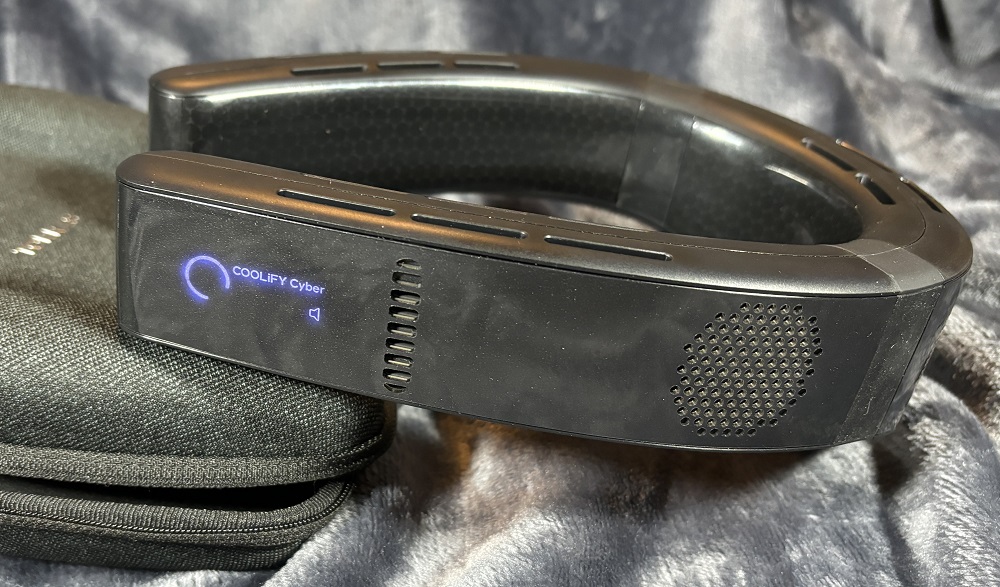
The COOLiFY Cyber is the more advanced of the two products. It uses the new Ku 3.0 superchip and 3 cooling plates with a total surface area of 14,975 mm² which can almost instantly drop the temperature by 27°F. It too can be used for heat as well as cooling. The Cyber has four air vents: one on each side that blows air up along the face and two in the back that blows air up along the back of the head and down along the neck. The COOLiFY Cyber comes in cascade black or natural titanium and is now available from the TORRAS website, as well as from Amazon, and sells for $279.
What’s in the Box?

The COOLiFY Air includes the following:
- COOLiFY Air wearable neck air conditioner
- USB-C charging cable
- User manual
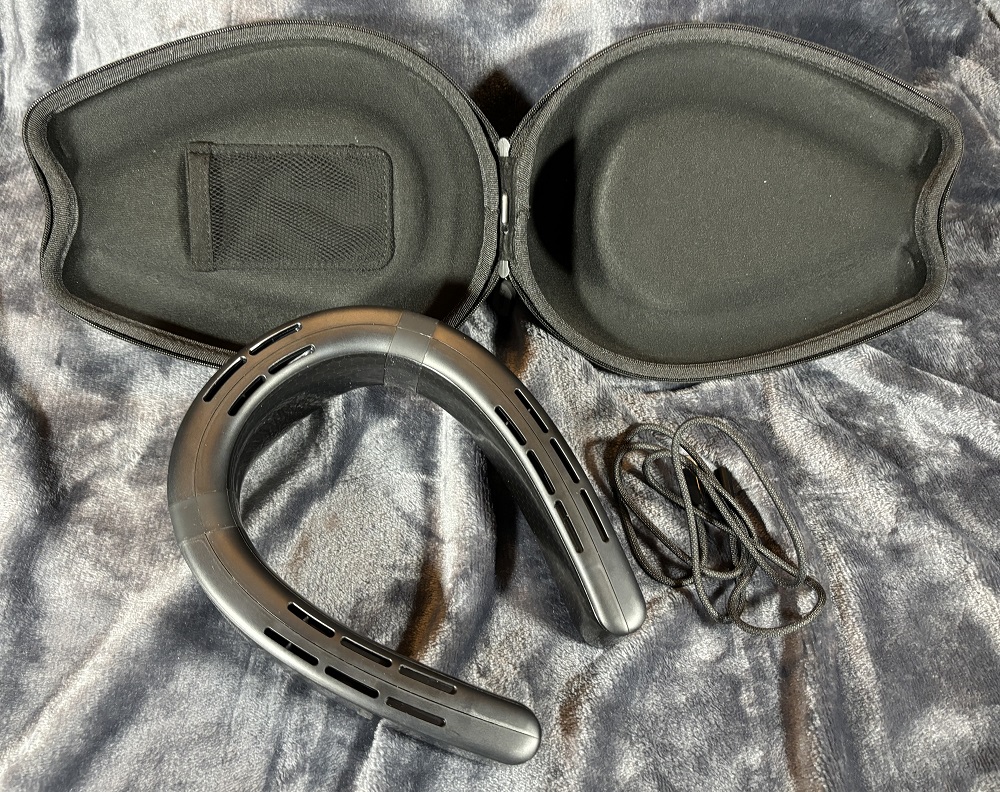
The COOLiFY Cyber includes the following:
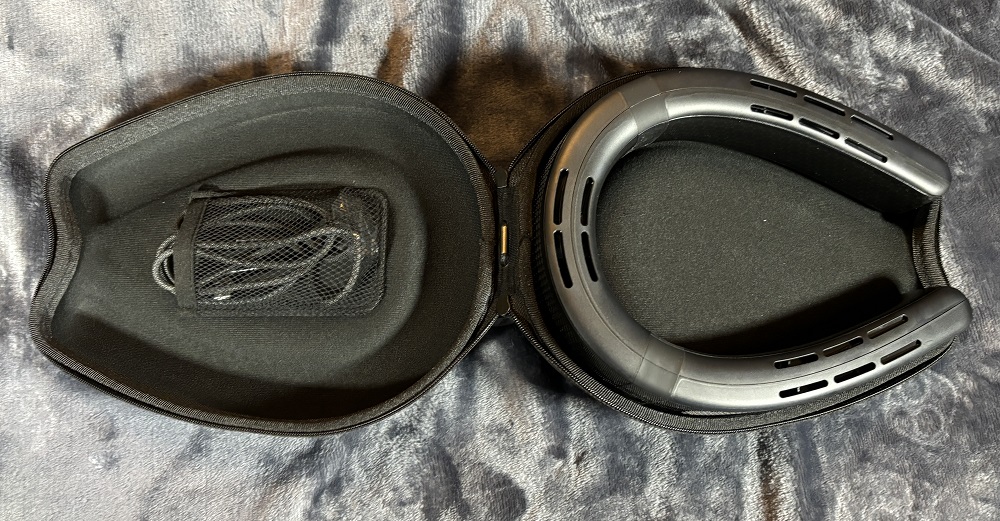
- COOLiFY Cyber wearable neck air conditioner
- Carrying Case
- USB-C charging cable
- User manual
How to Use the COOLiFY Air and COOLiFY Cyber
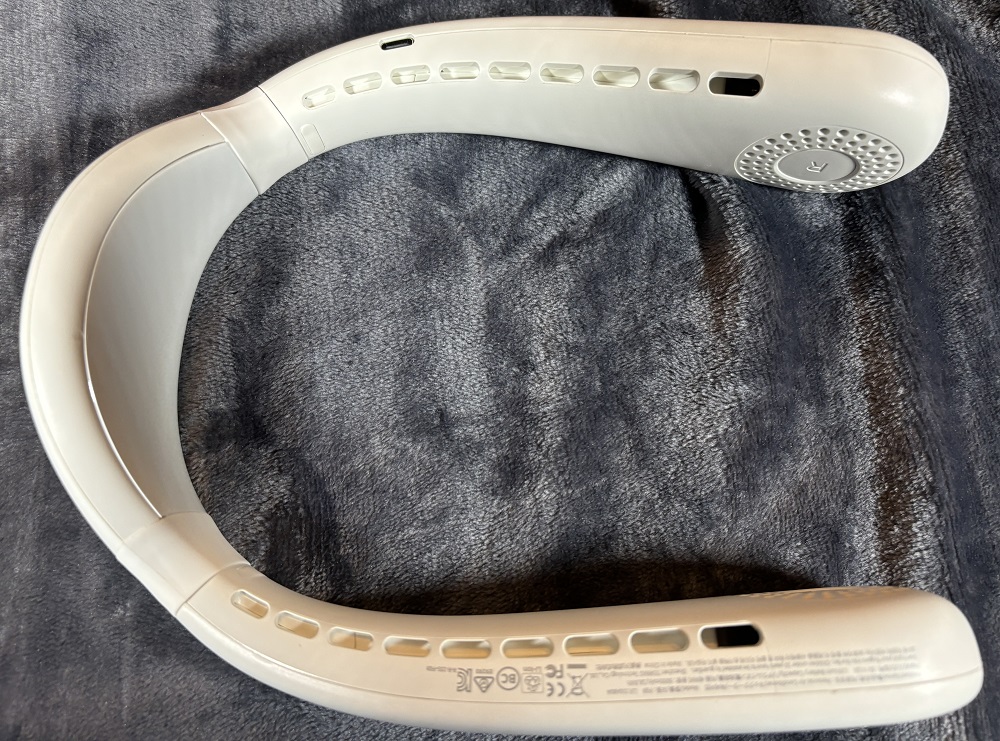
The COOLiFY Air is simple to use. Place it around your neck from the back so the charging port is facing down. Press the power button on the right side once to turn on the device. Pressing the power button again cycles through 3 different fan levels and also turns the fan off. Holding down the power button turns the device off. Pressing the snowflake button turns on the cooling feature and cycles through three different levels. The blue light of the button shines brighter as the levels increase in cooling. Pressing the sun button activates the heating function and also cycles through three levels. Both the heating and cooling functions can be used with the fan on or off.

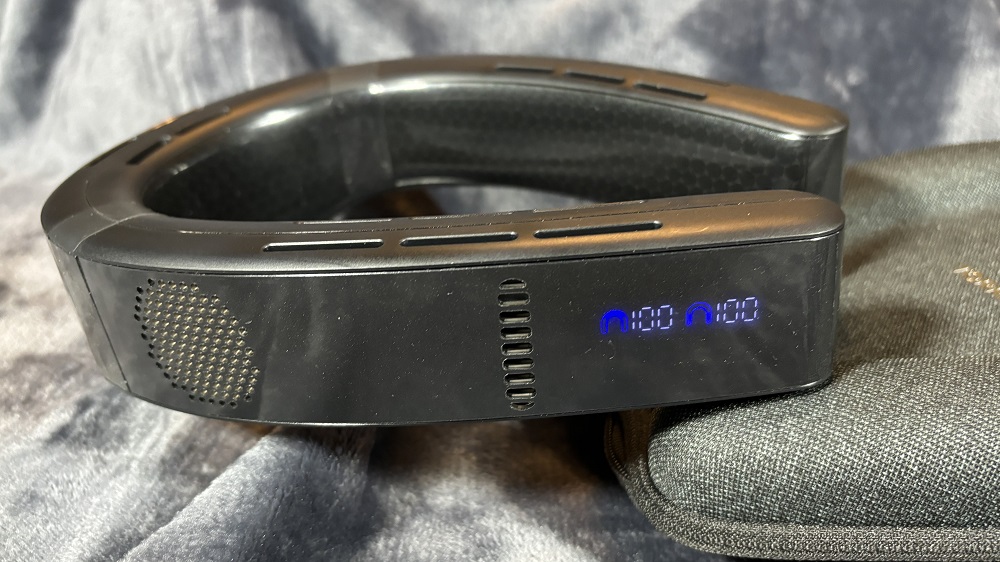
In order to use the COOLiFY Cyber, place it around your neck from the back so the air vents on the sides are facing up. Press the power button on the bottom of the right side once to turn on the device. Pressing the power button again cycles through 3 different fan levels and then turns off the device. An LED display next to the power button shows the mode and fan level. The mode button on the left side lets you switch between cooling and fan modes. Holding down the mode button activates the heating feature, which does not use the fan. Hold it down again to return to cooling mode.
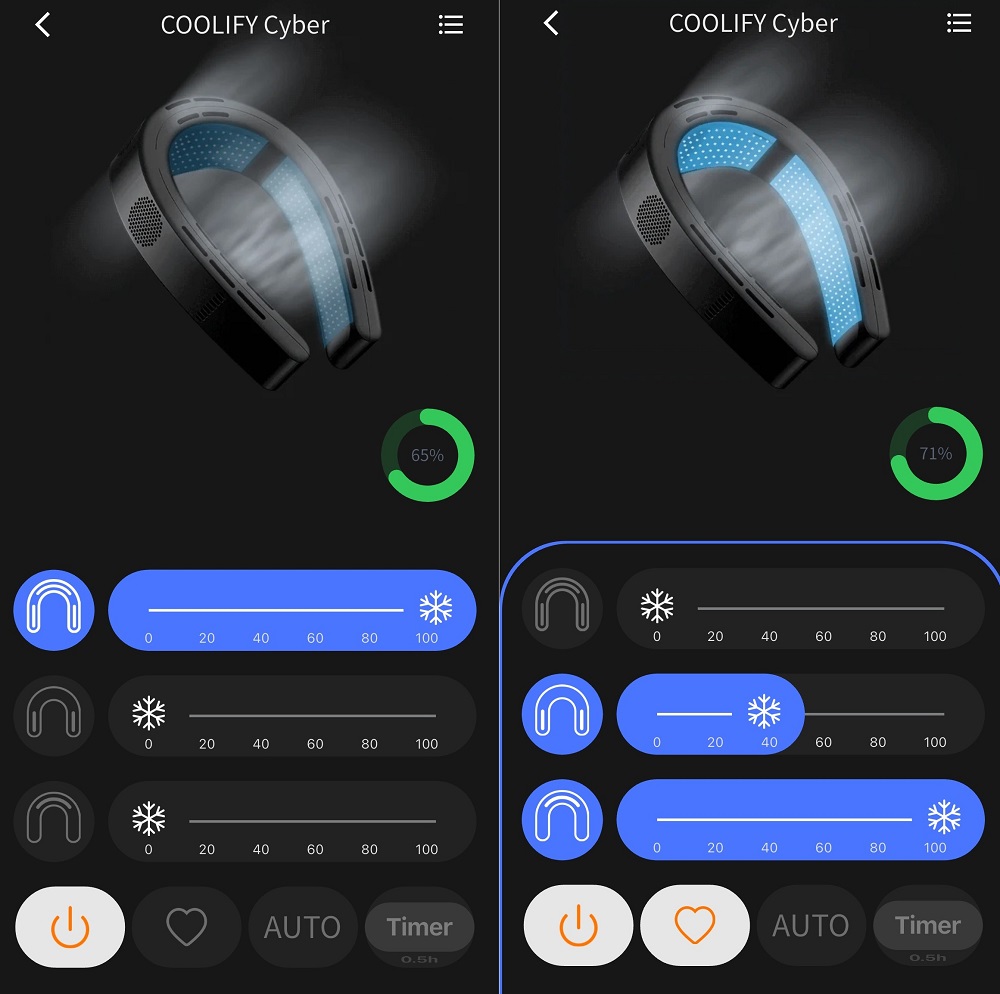
The COOLiFY Cyber can also be controlled by using the TORRAS app, which can be downloaded for free from the App Store or the Google Play store. The app uses Bluetooth to connect to the device. You actually have more control over the COOLiFY Cyber by using the app. While buttons on the device let you cycle through 3 levels of fan power, the app has a slider bar that lets you choose just the right amount. You can also choose whether to use the cooling panels on the sides, the back, or all of them together. When in heat mode, a slider bar lets you adjust the amount of heat you want on your neck. The app also features a timer, which lets you set the device to turn off after a period of time from 30 minutes to four hours. It includes a favorite button so you can set it and then, with one touch, choose the mode and fan speed you use most often. The Auto button activates an AI feature that dynamically adjusts the settings of the COOLiFY Cyber depending on the ambient temperature and the temperature of the cooling plates.
To charge the COOLiFY Air or COOLiFY Cyber just connect the USB-C charging cable and plug it into a power supply. The devices can fully charge in less than 2 hours, and the COOLiFY Air, with its 5000 mAh high-density polymer battery, can last up to 24 hours if just using the fan mode at the low setting. When you are using the cooling mode, the device can last 2.5-4 hours depending on the fan speed. Heating mode lasts 4-6 hours. The COOLiFY Cyber has a 6000 mAh high-capacity battery that can run up to 15 hours in the low fan setting, 2-2.6 hours in the cooling mode, or 3.3-4.5 hours in heat mode. If you have a portable charger, the COOLiFY Cyber can also operate while charging, thus giving you some additional use.
Why You Should Get the COOLiFY Air and COOLiFY Cyber
Last summer I had the opportunity to try out the COOLiFY 2S, which was an earlier version of the newer models, and I was impressed. The COOLiFY Air and COOLiFY Cyber use physiological science to cool the body. The veins and arteries that carry blood through the neck are fairly close to the skin. Therefore, applying cooling to the neck area can help cool down the entire body. In addition, blowing cool air on the face and head also provides a cooling sensation so a person feels cooler than the ambient temperature of their surroundings. When you feel cooler on a hot day, you don’t get as fatigued and can work or exercise longer. As I have used these products, I have found the cooling plates to be very effective at cooling down my body.

I am always surprised at how quickly the cooling plates turn cold. They are also comfortable to wear. The two sides are connected to the back part by a flexible memory-like material that allows you to spread the sides apart to go around your neck and then they come back together. This helps keep the COOLiFY Air and COOLiFY Cyber up against the wearer’s neck, holding it in place without feeling tight or constricting. As I have used them while walking or working in the yard, the devices stay in position and I don’t have to keep adjusting them. Even while jogging I don’t have to hold on to it or adjust it. While there are some obvious uses for the COOLiFY products, such as exercise or being outside in the heat, you can also wear it while riding public transportation or flying on an airline—times when you do not always have control of the temperature. I find the sound and feel of the cool air to be quite soothing and great for taking a nap in a hammock or on a lounge chair. You can also take them camping when it is warm and you don’t have access to an air conditioner.
I have been very impressed by the COOLiFY products. My family has also found them great for staying cool. If you are in need of a personal cooling device that really works and will help keep you cool and comfortable while in warm environments, then I recommend the COOLiFY Air and COOLiFY Cyber by TORRAS. Of the two, I personally prefer the COOLiFY Cyber since I like the additional cooling plates on the sides and the ability for greater control through the app. These products also make great gifts.
For more information or to purchase the COOLiFY Air or the COOLiFY Cyber wearable neck air conditioners, check out the TORRAS website or the TORRAS store on Amazon.
Disclosure: GeekDad received a sample of this item for review purposes.