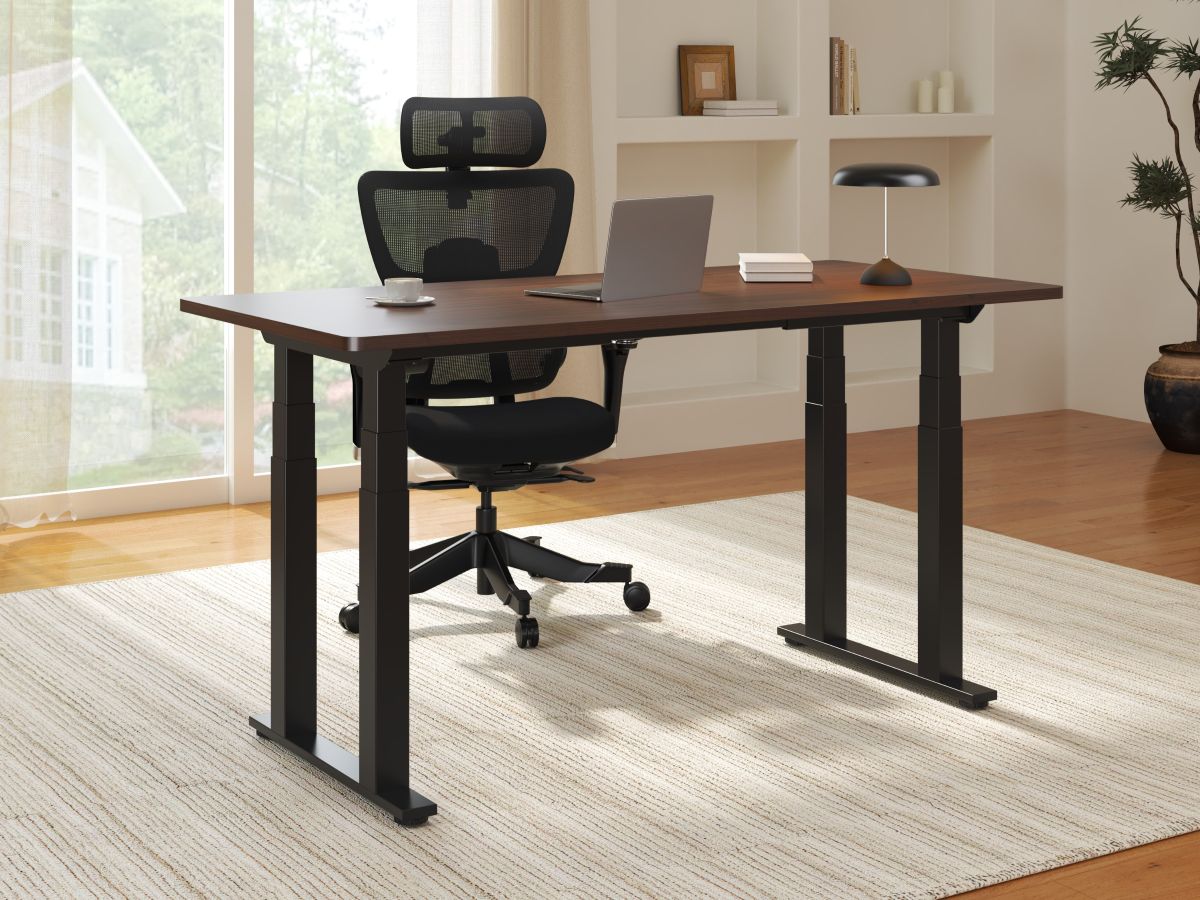
Sitting at a desk for long periods of time is not healthy. Therefore, many people are switching to a standing desk so they can stand while working on a computer or doing other tasks. However, at times you might also want to sit at your desk. Luckily there are standing desks that are adjustable so you can sit or stand as you wish. FlexiSpot has been making such desks for a number of years and have just released their latest model, the E7 Plus Max Standing Desk. I have had the opportunity to try one for a few weeks and would like to share my thoughts and impressions.
What Is the FlexiSpot E7 Plus Max Standing Desk?
FlexiSpot is a furniture manufacturer that not only makes standing desks, but also recliners, sofas, ergonomic desk chairs, and even adjustable beds. The E7 Plus Max Standing Desk is one of their top of the line models. The base has four legs, each with their own motor. They have 3 stages for improved stability even when fully raised. The desk can adjust from 25.8″ to 51.6″ and the base by itself weighs about 123 lbs. This desk is not going anywhere. While you can purchase the base by itself, FlexiSpot also offers a variety of desktops that come in a number of sizes, colors, and designs. The sizes range from 48″ x 24″ to 80″ x 30″.

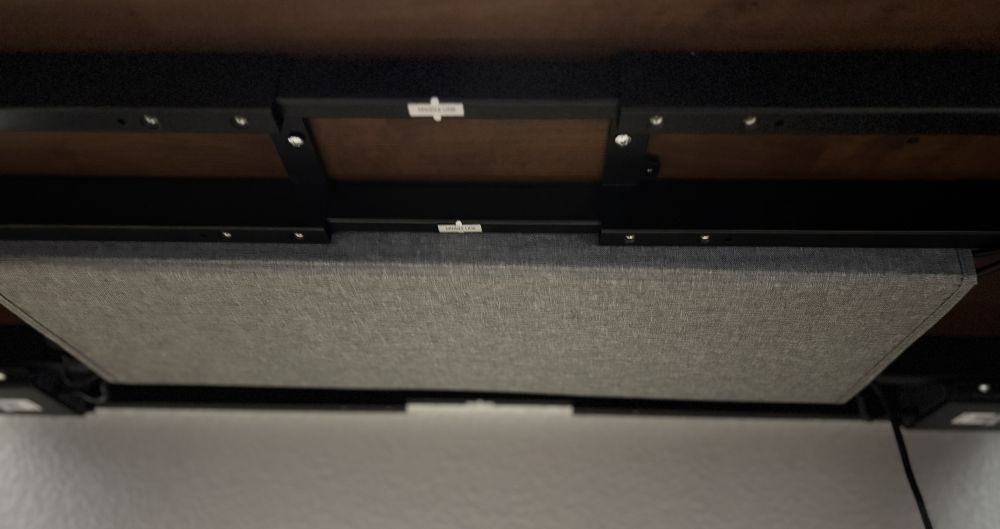
The standing desk comes unassembled. It is delivered in three boxes (2 for the base and 1 for the desktop) which makes it easier to move into your home. Be warned, these boxes are not light. Each of the two base boxes are over 70 lbs. Make sure you have plenty of room for unpacking and I suggest assembling the desk in the room where you will be using it. You start off by attaching the top of the base to the bottom of the desktop. Then you attach each of the four legs and finally connect all of the wires from the controls and legs to the controller mounted under the desk. The E7 Plus Max also includes a fabric wrapped magnetic cable management sleeve that attaches securely to the underside of the desk and keeps not only the cords for desk out of sight, but also any other cords from monitors and computers hidden as well. Additional cable ties with adhesive and a roll of Velcro strip are included as well to help with cable management. The desk comes with Allen wrenches for assembly, but you will need a screwdriver and a drill motor or electric driver is recommended to drive screws into the desktop. There are predrilled holes in the bottom of the desktop, so you will not need to do any drilling.

The E7 Plus Max Standing Desk is very easy to operate. The 7-button touch controller allows you to raise and lower the desk with the touch of two buttons. You can save four different heights in memory and return to them with a touch of a button. There is also the ability to activate a child lock to prevent young ones from operating the desk. A digital LED display shows the current height of the desk from the floor to the bottom of the desktop. I checked it with a measuring tape and it is very accurate. If that were not enough, there is also a USB-A charging port on the side of the controls.

The E7 Plus Max is currently available directly from FlexiSpot. The base alone sells for only $749.99 and shipping is free. You can add a desktop for as little as $70. The price increases depending on the type of wood, color, and size of the desktop. FlexiSpot includes a 15-year warranty on the frame, motor, mechanisms, controller, switch and electronics, and 2 years on the desktop.
Why You Should Get the FlexiSpot E7 Plus Max Standing Desk
As I was looking for a standing desk, I learned that they come in all shapes, sizes, and price ranges. Many only have two legs with two motors. From experience, I have not been impressed with the two leg models since they can wobble a bit, especially when there is a lot of weight on top of the desk or it is not evenly balanced. The E7 Plus Max with its four legs and four motors is very stable. As I am using it to write this article, it does not move when I try to shake it. The motors are also very strong and the desk is capable of supporting and lifting 660 lbs! This desk is built like a tank. While opening the boxes and seeing all the parts can be a bit daunting at first, the directions are well written and easy to follow. The different screws are separated and labelled on the bag and in each step, you are only using one type of screw. I highly recommend using an electric screwdriver and having a second person to help, especially when you have to flip it over onto its feet, makes the assembly a lot easier.
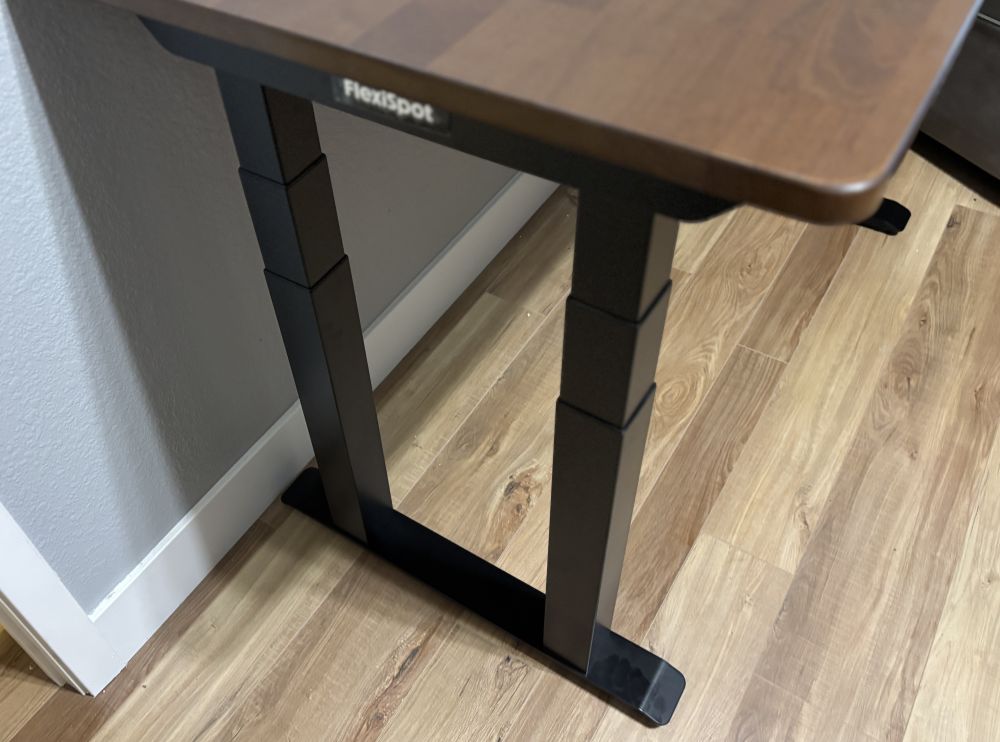
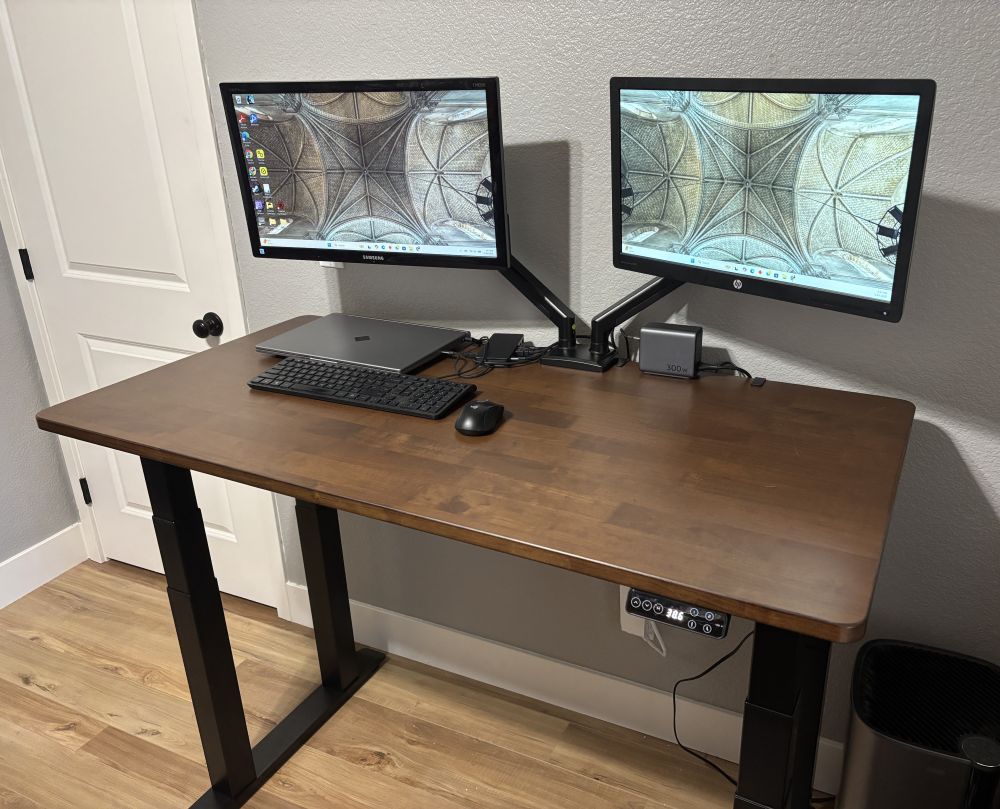
Deciding on a desktop is the toughest part of ordering one of these desks. There are so many different options from which to choose. All are one-piece and the top is smooth, resistant to dust, and easy to clean. I chose the dark bamboo in the 55″ x 28″ size and really like the look and desk space. Like a Model-T, the choice of frame color is black. The desktop has enough room to support a couple monitors. I choose to go with dual monitor arms I purchased separately to free up even more space and to allow me to adjust the monitors how I want them whether seated or standing. I also am impressed with the included cable management sleeve. The magnets in it are quite strong. While it works great for the cables included with the desk, if you have a lot more cables or power supplies like I do, then you may want to get a cable tray or other management system.
I have been very impressed with the E7 Plus Max Standing Desk. When the boxes showed up on our front porch, my wife was not happy. As the children have grown and moved out, I once again have my own office. She did not think a standing desk would look good with the way she wanted the office to look. However, once I assembled it and started using it, her opinion has changed. She likes the way it looks and the flexibility it offers as compared to a traditional desk which takes up a lot of floor space. With all of the cables hidden away, it looks very neat and tidy. While the price may seem a bit high at first when comparing it to other desks, you really get what you pay for. Expect to pay about $800-$900 for an E7 Plus Max. However, it is worth every penny, or should I say nickel since the U.S. is not minting pennies anymore. This standing desk is very well made and the 15 year warranty shows that FlexiSpot stands behind their products. I already own a FlexiSpot recliner and am still using it daily. In fact, it is right next to my standing desk. If you are in the market for a standing desk, then I highly recommend considering the E7 Plus Max Standing Desk.

Check out the FlexiSpot website for more information and to make a purchase.
Here is a video on how to assemble the E7 Plus Max Standing Desk.
Disclosure: GeekDad received a sample of this item for review purposes.