Webcams, we all use them. When the pandemic isolated all of us back in 2020, so many of us relied on Zoom and other videoconferencing apps to not only do our jobs but stay connected with our fellow humans. A lot of those habits that we picked up back then, we’ve carried with us today. More and more people work from home or use apps to make video calls with their friends and family, so they need a webcam that will meet their specific needs.
Enter the Tiny 2, an AI-powered, motorized webcam. OBSBOT, an artificial intelligence webcam brand by REMO TECH, sent me one of their Tiny 2 webcams to try out.
What Is the OBSBOT Tiny 2?
The OBSBOT Tiny 2 is a 4K, AI-tracking multi-mode and auto-tracking webcam. It retails for $329 and is available from the OBSBOT store on Amazon or to order directly from OBSBOT.
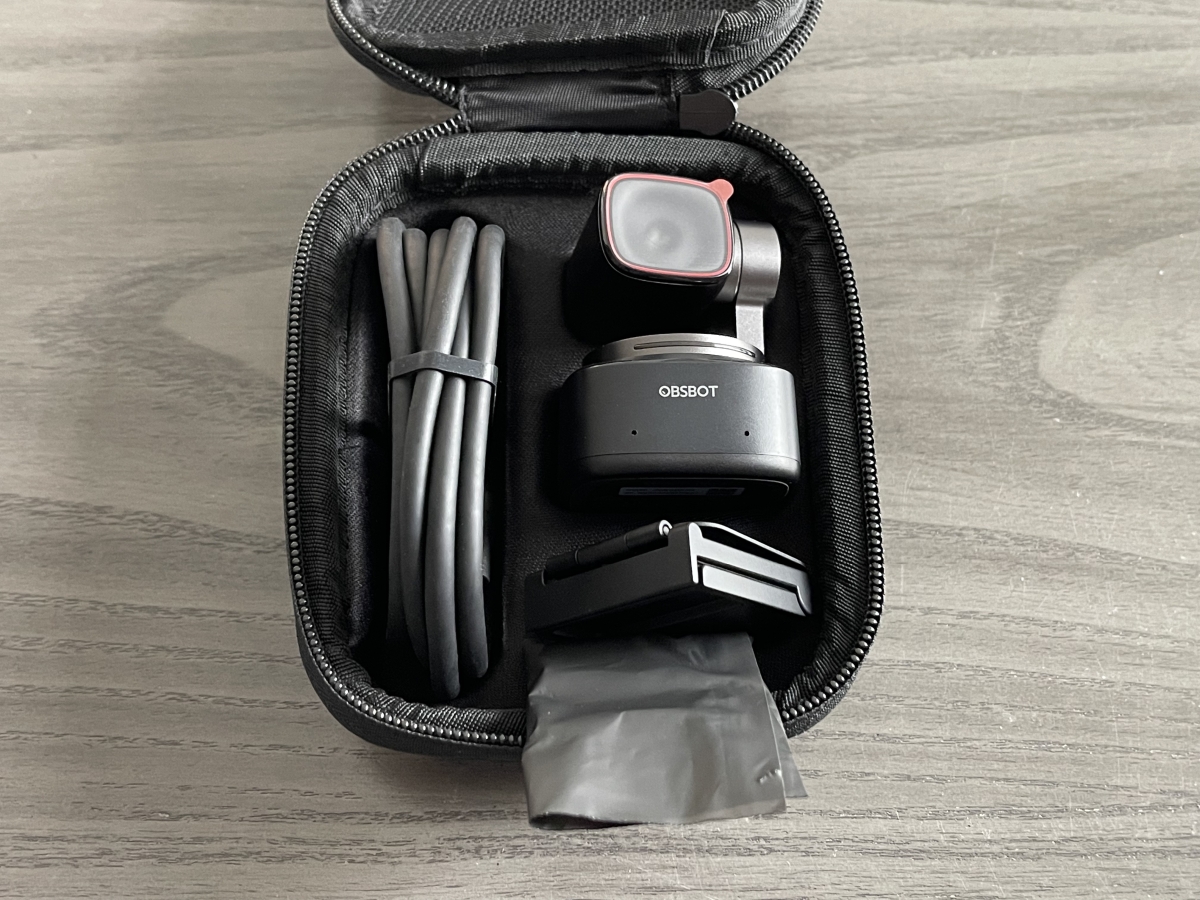
The Tiny 2 ships with the following:
- OBSBOT Tiny 2
- USB-C 3.0 cable & USB-C to USB-A 3.0 Adapter
- OBSBOT Tiny 2 Adjustable Mount
- OBSBOT Tiny 2 Storage Case

The Tiny 2 attaches magnetically to its mount, which securely latches onto the top of a monitor or laptop display. Additionally, the webcam may be easily mounted on a tripod.
Here are the main features of the Tiny 2:
- Ultra Large 1/1.5” CMOS in Webcam
- 4x Faster Focusing
- AI Tracking with Auto Zoom
- Dynamic Gesture Control
- Voice Control
Using the OBSBOT Tiny 2
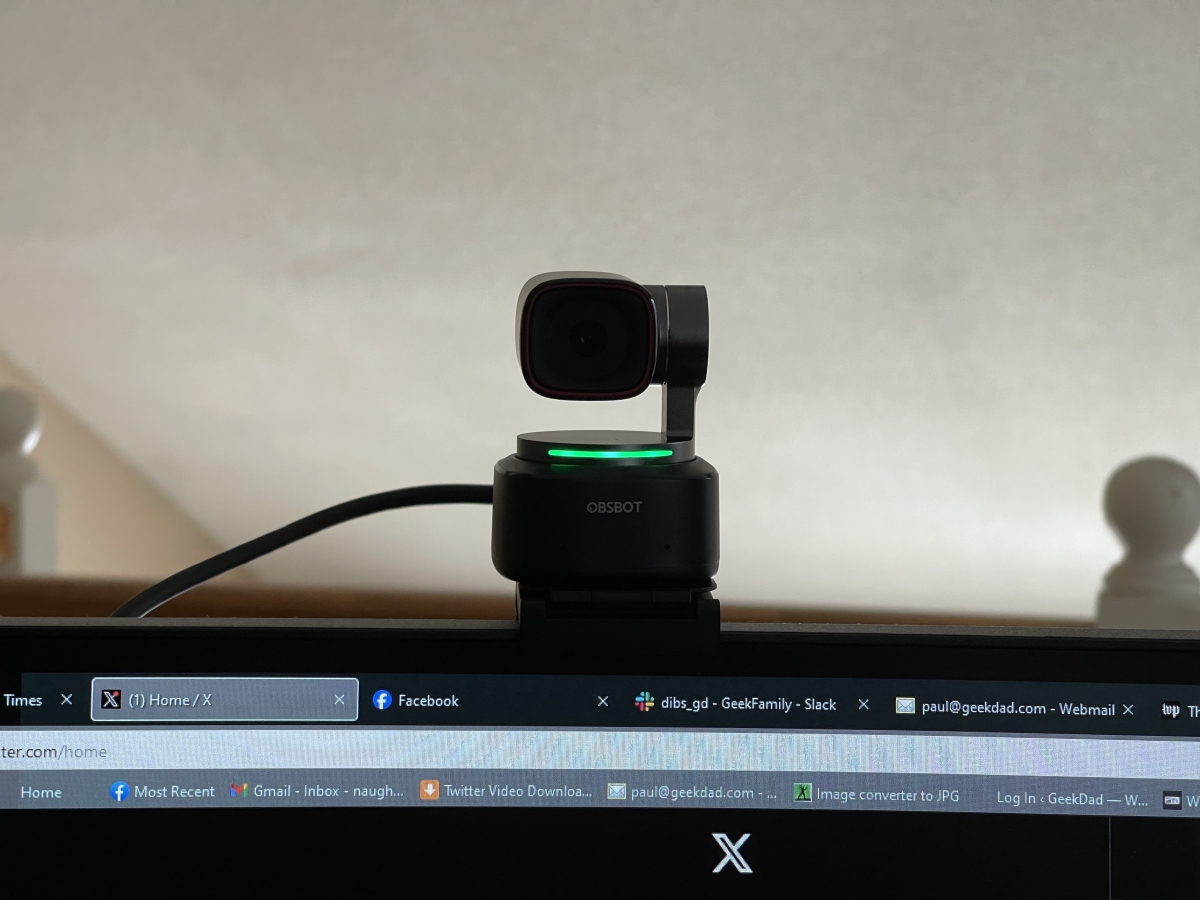
For most of us, we’re used to a webcam that just sits on top of our monitor and captures whatever is in its field of view. With the Tiny 2, you have much more control over what video you capture.
There are several different ways to control the Tiny 2. You can use the OSBOT Center app to turn motion tracking on and off, set the focus of the camera, and save presets for camera angles.

The app is also where you will tune the camera settings, much like apps for webcams from other companies, such as Logitech.
You can use voice commands to control the Tiny 2, such as saying, “zoom in closer” or “track me.” The Tiny 2 has a 2-axis gimbal, which allows the webcam to rotate up and down and left and right. That, combined with the AI tracking and auto zoom, allows for a much wider variety of camera setups than the majority of webcams on the market.
There are some limited gesture controls you can make as well, to turn the AI tracking on and off and to control the zoom.
Finally, there is a remote control that OBSBOT sells separately, which will also allow you to control several functions on the Tiny 2. OBSBOT also sent along that control, the optional Tiny Smart Remote 2:

The remote is sized midway between an Apple TV remote and a standard television remote. It retails for $49.
The Tiny 2 has a very good picture, with 4K UHD at 30 FPS and FHD at 60 FPS. The dual omnidirectional microphones with AI noise reduction and gain control pick up sound well, though the noise reduction doesn’t work quite as well as a good dedicated microphone.
The Tiny 2 is bursting with all the features you’ll find in other high-end webcams, such as auto exposure adjustment, auto retouch, and even Stream Deck support. But the main feature that you’ll be picking up this webcam for is going to be AI tracking.
Performers and streamers can set up the Tiny 2 for tracking and have the camera follow them as they move about the space. Or, if you’re an instructor or content provider demonstrating a product, you can set the Tiny 2 to hand tracking, and the camera will swivel to capture whatever your hand is gesturing towards.
The AI tracking works quite well, but there were a few instances during testing where I was moving too fast and the AI got confused. I ended up with the camera pointed at the wall or up at the ceiling. To be fair, this didn’t happen often, and I wouldn’t normally be moving about so rapidly and so close to the camera. When that happened, the easiest way to reset the camera was just to return to one of my camera presets, which I could easily do simply by speaking a voice command.
OBSBOT Tiny 2 — The Verdict
At $329, the OBSBOT Tiny 2 is an investment. But if you are someone who has needs beyond a static webcam, the AI tracking works very well and could be a real boon for content makers. With its high-quality image capture, the Tiny 2 can take the place of having someone film you with a video camera. Its portability and ease of mounting on a camera means that you can easily take the Tiny 2 to a stage, a classroom, or a boardroom and film a presentation, a lecture, or a performance.
If you have the money and the OBSBOT Tiny 2 fits your needs, then I can wholeheartedly recommend it. For anyone who wants to film themselves and not be tied to a desk, it’s a real boon and you’ll be happy with the webcam’s features and performance.
If you are interested in learning more about the OBSBOT Tiny 2 webcam, head over to the OBSBOT website.
OBSBOT sent a Tiny 2 for evaluation but had no input into this review. As an Amazon affiliate, I may earn a small commission on qualified purchases.