
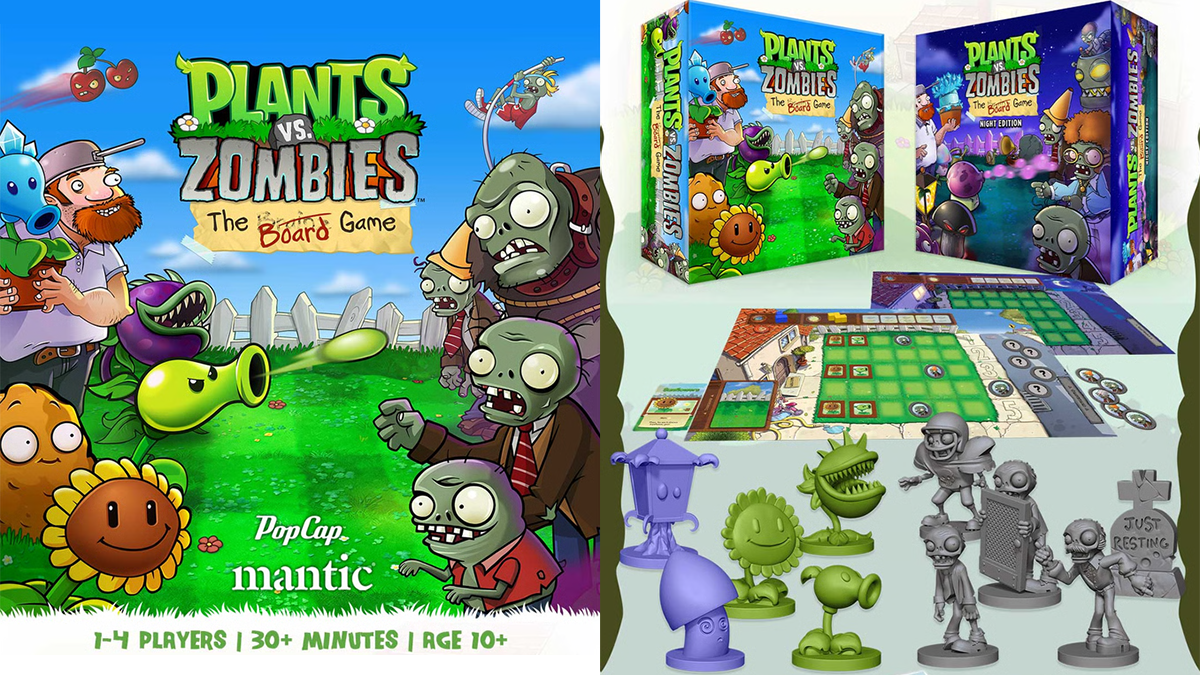
The Zombies are once again coming for your brains and the only thing that can stop them is plants as Mantic Games brings Plants vs. Zombies to tabletop gaming!
What Is Plants vs. Zombies: The Board Game?
Plants vs. Zombies: The Board Game is a cooperative game for 1-4 players, ages 10 and up, and takes about 30 minutes to play. It’s currently seeking funding on Kickstarter, with a pledge level of $52 for a copy of the base game. There are several options for deluxe editions, expansions, and add-ons as well detailed on the Kickstarter pagel; however, this review only covers the base game.
Plants vs. Zombies: The Board Game is published by Mantic Games.
New to Kickstarter? Check out our crowdfunding primer.
Plants vs. Zombies: The Board Game Components
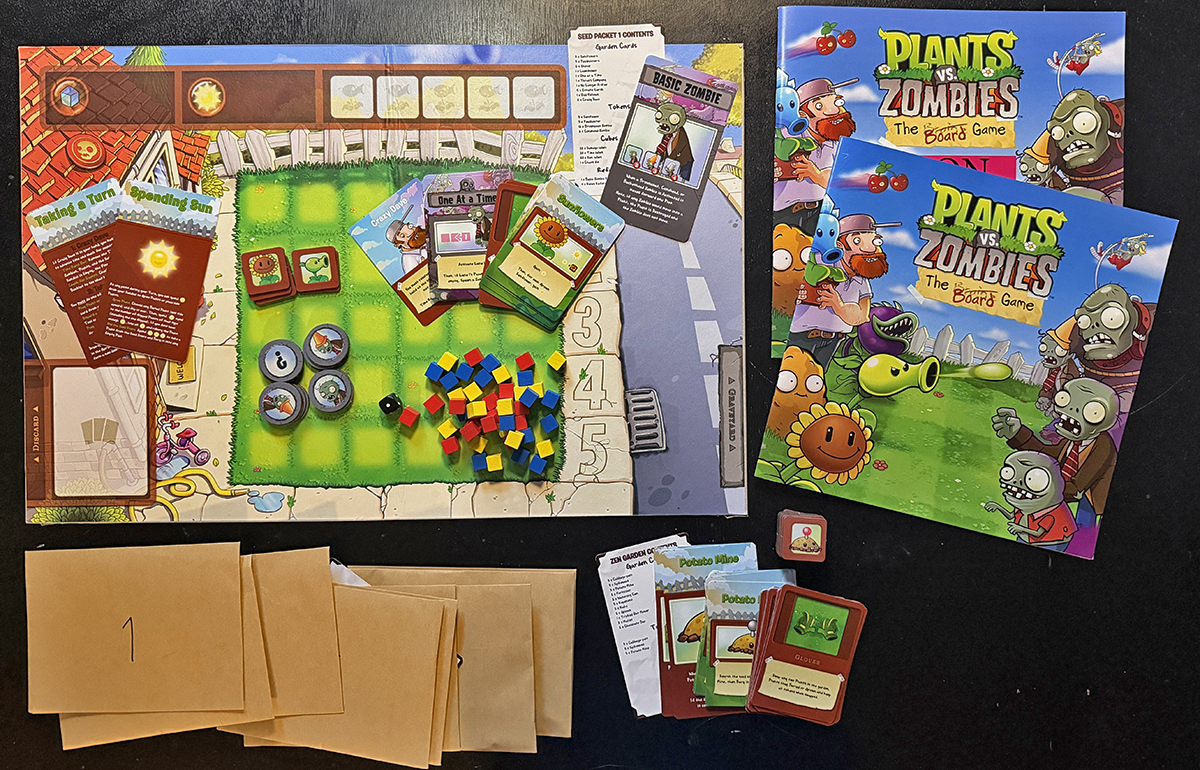
Note: My review is based on a prototype copy of the standard edition, so it is subject to change and may not reflect final component quality.
- Game Board
- 1 Chaos Die
- 60 Sun, Time, and Damage Cubes
- 75 Garden Cards
- 20 Reference Cards
- 4 Rules Cards
- 68 Plant, Zombie, and Game Tokens
- 1 Rule Booklet
- 1 Level Booklet
- 10 Seed Packets and 1 Zen Garden Packet*
*A majority of the components are spread amongst the Packets that are “unlocked” as you play through levels. The protoype just had plain envelopes, but the final seed packets will be sealed packs that require opening. The Packets are explained in more detail below.
Not included with my prototype or with the eventual retail standard edition, the Kickstarter edition also includes two free Mini-expansions: Pool Party and Pirate Seas. Miniatures are included beginning at the Deluxe pledge level.
How to Play Plants vs. Zombies: The Board Game
You can download a copy of the rulebook here.
The Goal
The goal of the game is to defend your home against the ever growing zombie hordes with an increasingly diverse collection of specialized, zombie killing plants.
Setup
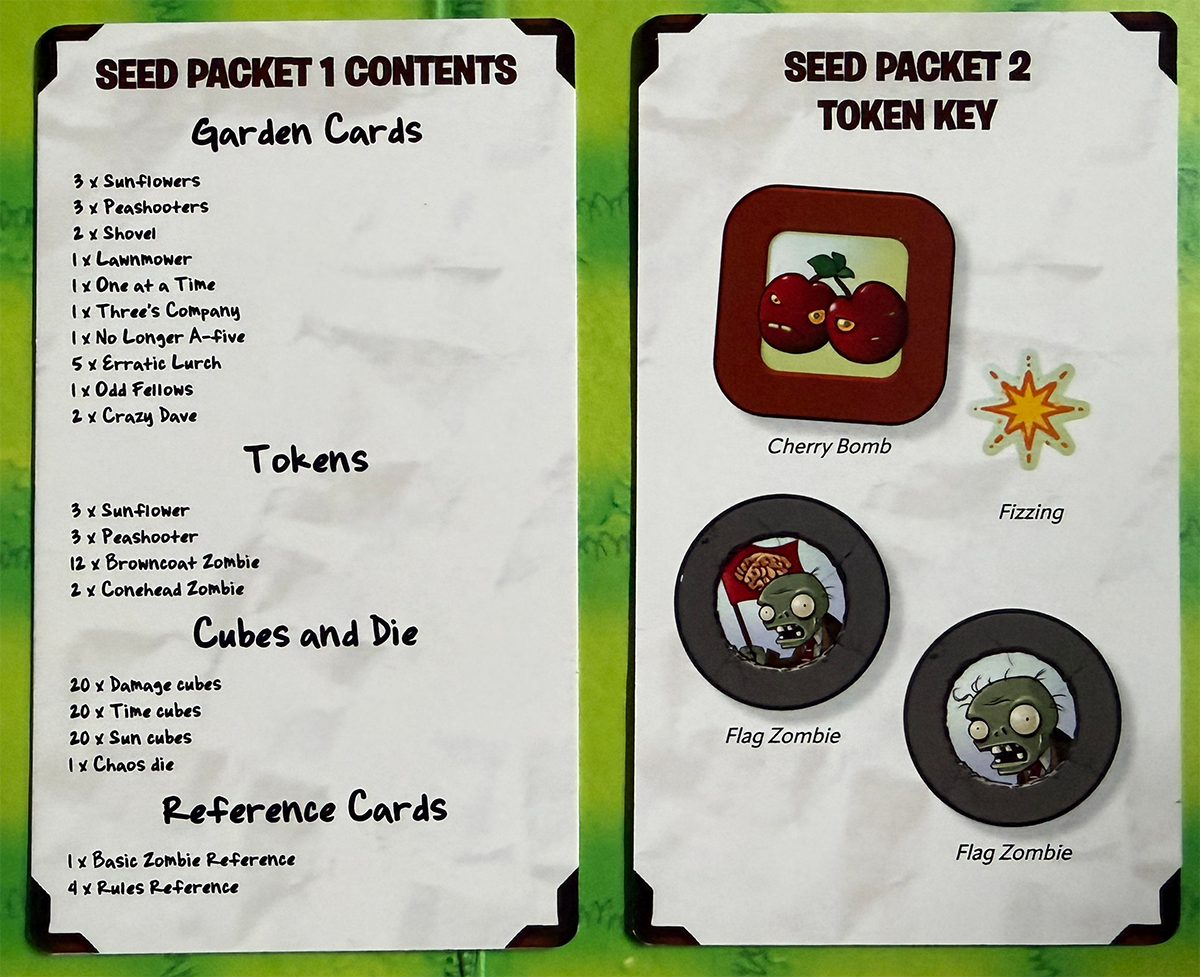
Before beginning setup the very first time, you will need to open the first Seed Packet to get your starting components. The first Seed Packet contains the 60 Sun, Time, and Damage Cubes, the Chaos die, 3 Peashooter Tokens, 3 Sunflower Tokens, 12 Browncoat Zombie Tokens, 2 Conehead Zombie Tokens, the Basic Zombie Reference card, 4 Player Reference Cards, and 20 Garden Cards (3 Peashooter, 3 Sunflowers, 2 Shovels, 1 Lawnmower, 2 Crazy Daves, and 9 Zombie Cards). Each Seed Packet also contains a Reference Card showing what is included in it to make resetting the game easier once you’ve opened multiple Seed Packets.
Game setup is fairly straightforward and follows the same overall steps regardless of level.
Step 1 – Choose Level
Choose any unlocked Level in the Level Booklet. I will be covering Level 1.
Step 2 – Place Board and Deck
Place the game board in the middle of your play area, then build the Garden Deck.
For the Garden Deck, first choose up to 5 plants that have been unlocked (starting with any that are required by the chosen level). This can be increased to 6 if the Garden Extension has been unlocked from the Zen Garden – more on that later. Each plant has 3 cards. Select the corresponding Plant tokens and any related Reference cards and set them aside.
Then choose up to 4 Tool cards that have been unlocked. This can be increased to 5 if the Tool Shed Extension has been unlocked from the Zen Garden. Tools can have 1, 2, or 3 cards – the number in the bottom right of each card lets you know so you don’t miss any.
Lastly, add all of the Crazy Dave and ALL unlocked Zombie Cards into the Garden Deck and shuffle them together. Select the corresponding Zombie tokens and any related Reference cards and set them aside. Place the deck on the Garden Deck space on the bottom left of the game board.
Step 3 – Place Plants and Zombies
The Level selected will have instructions on how to place your Plants. Follow the Level instructions and then place the remainder of your Plant tokens into the Seed Store along the top of the game board.
Unless otherwise indicated by the Level Booklet, all Zombie tokens are randomly placed facedown in the Street on the right side of the gameboard.
Place the Reference Cards within reach of all players for easy access when needed.
Step 4 – Set Time
Place a number of Time cubes (the blue ones) into the Sundial (Time box) in the upper left of the game board indicated by the Level setup. If you have unlocked any Starting Sun in the Zen Garden, add the Sun cubes (the yellow ones) into the Sun box next to the Sundial.
Step 5 – Draw Cards
Each player draws three cards from the Garden Deck. Each player can also take a Turn Reference Card. As the game is cooperative, we have choosen to play with open hands to better coordinate, but that is up to you!
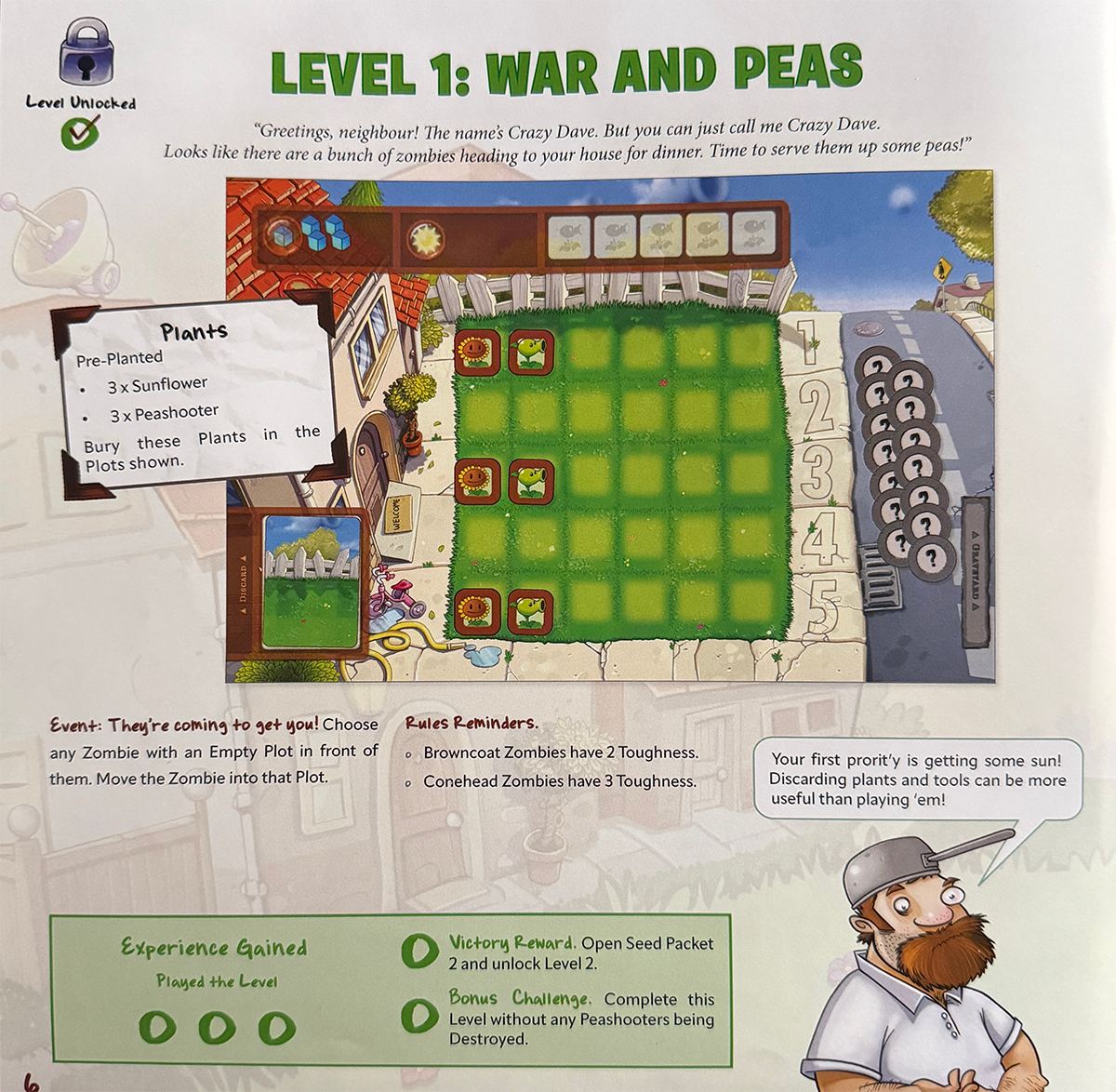
For the Level 1 setup, and if this is your first time playing before unlocking anything else, the amount of plants and zombies is limited making the introductory first level pretty quick to setup and play. Every level page has the same handful of indicators
- The Time box shows how many Time cubes to start with
- The Plants box tells you of any Plant requirements (for level 1, 3 Sunflowers and 3 Peashooters are pre-planted and pre-grown)
- The Event text indicates which event playing a Crazy Dave card triggers
- The Rules Reminders text provides relevant reference information
- Crazy Dave provides a Level specific tip
- The Results box at the bottom is for after completing the level, but I recommend checking the Bonus Challenge to keep in mind while playingto earn extra experience. More details on the Results Box in the Game End section below!
Gameplay
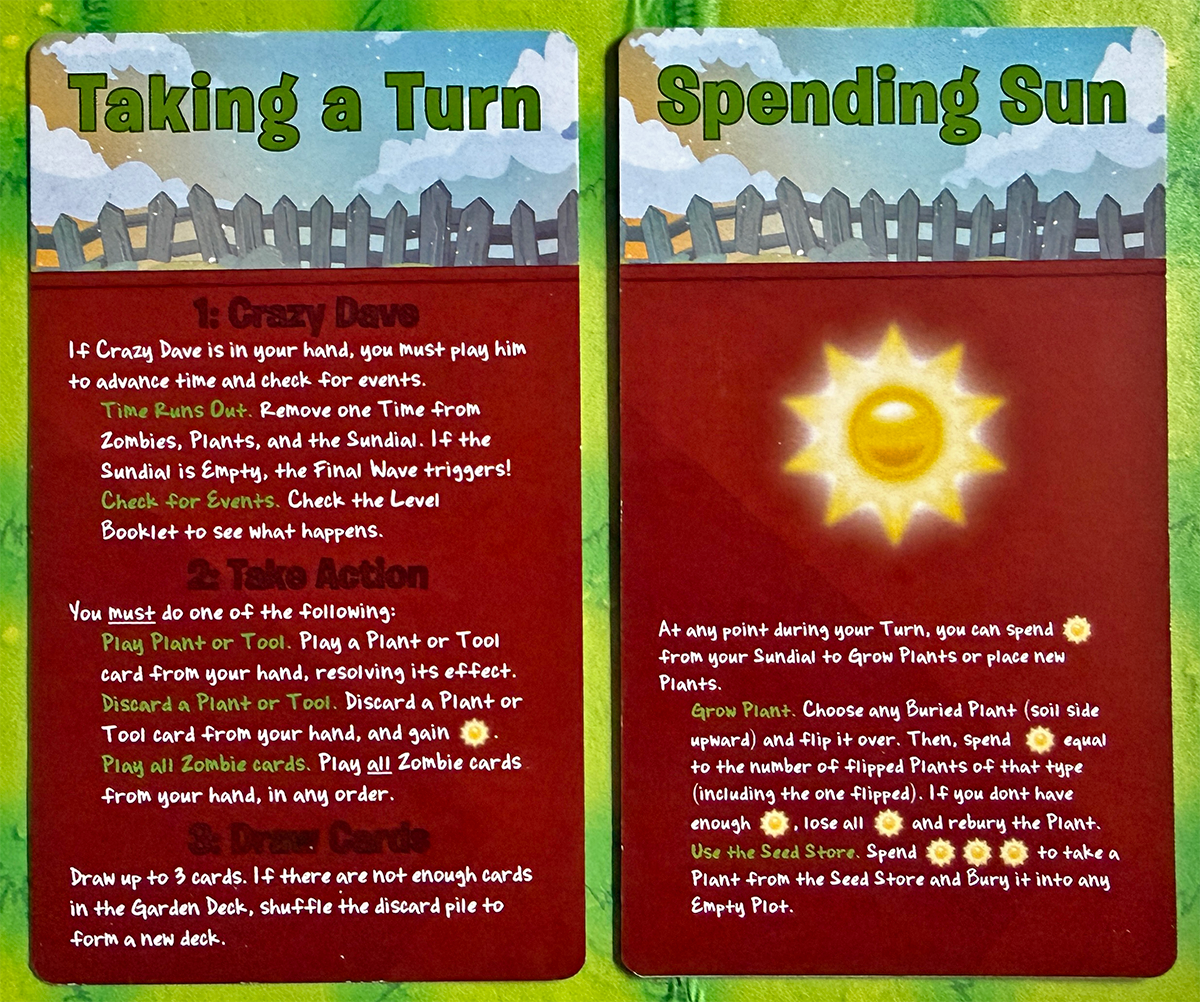
Each player’s turn involves three required steps and one optional one.
- Crazy Dave
- Take Action
- Draw Cards
- Spend Sun
1. Crazy Dave
If a player has Crazy Dave in their hand, he must be played first before anything else can happen.
Time Runs Out
When Crazy Dave is played, the first thing that happens is Time Runs Out. One Time cube is removed from the Sundial as well as any plants or zombies that have a Time Cube on them. If it is the final cube in the Sundial, then the Final Wave is triggered.
Final Wave
When the Final Wave is triggered, each lane is activated and then a Zombie is spawned in each Lane that does not have a Zombie in its spawn point (the numbered sidewalk squares on the right side of the board). Zombie Activation and Spawning is explained in more detail below. After the Final Wave has triggered, any time a Zombie would spawn, can be ignored. No more Zombies can spawn once the Final Wave begins.
Check Event
After dealing with the Time Runs Out, the Event specified for the Level triggers. For Level 1, the event is “They’re coming to get you!” which forces you to choose any Zombie with an Empty Plot in front of them and move the Zombie forward one plot. If no Zombies have an Empty Plot in front of them, nothing happens. In general, if part of an event or card’s instructions cannot be completed, it is ignored. This can be very useful when choosing which cards to play when!
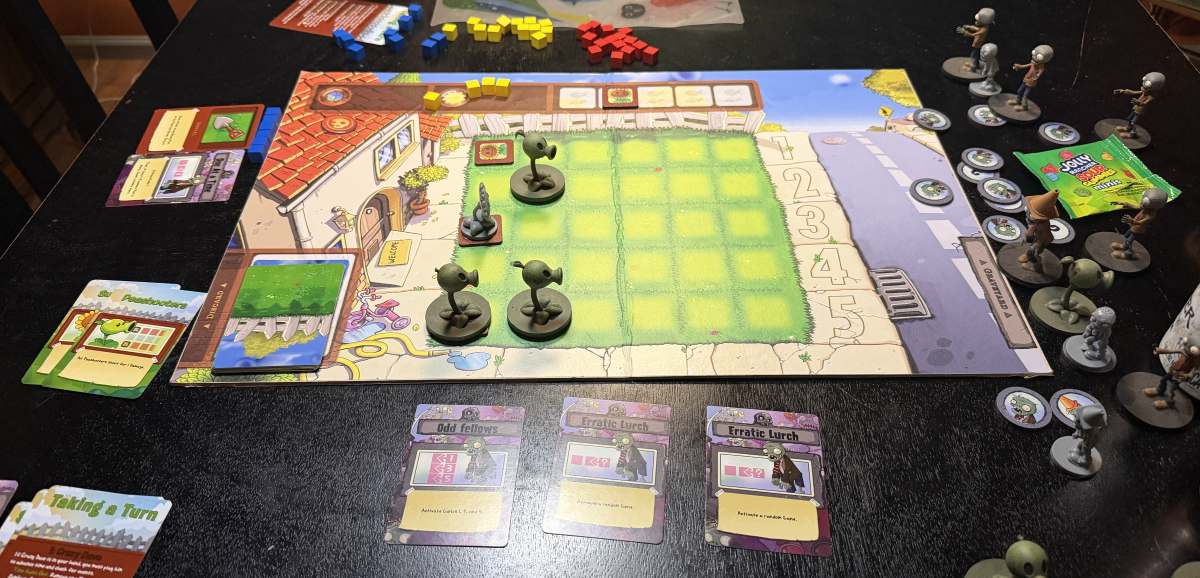
2. Take Action
Players have three actions to choose from on their turn.
Discard
Discard any one Plant or Tool from your hand, place it in he discard pile on the left side of the board, and place one Sun into the Sun box.
Play a Plant or Tool
Play one Plant or Tool card and resolve its effect and then place it in the discard pile (unless the card dictates otherwise).
Play ALL Zombie cards
If you choose to play Zombie cards, all Zombie cards in your hand must be played, but you can choose in which order they are played. If you have only have Zombie cards, you MUST play them. Deciding when to play Zombie cards versus being forced to play them, is a key tactic to keep in mind while playing the game! Most Zombie cards do one or more of three basic things in a variety of ways – Activating a Lane, Activating a Zombie, and Spawning a Zombie
Activating a Lane
When a lane is activated, all Zombies in the lane starting with the left-most, are activated and moved one space to the left. If there are no Zombies in the activated lane, a Zombie is spawned in the Pavement Plot of that lane. If a Zombie has a Plant in front of it, it will kill the Plant, but not move. Killed Plants go back to the Seed Store. If a Zombie has another Zombie in front of it, it wil not move.
Activating a Zombie
This is the same as above but just a single Zombie.
Spawning a Zombie
Spawning a Zombie means taking a random Zombie token from the Street and placing it onto the designated Pavement Plot. If there is already a Zombie there or the Final Wave has started, nothing happens.
Some cards allow you to choose a lane for activating or spawning, so a great tactic is to choose a lane where it means nothing happens to keep the Zombie hoard to a minimum!
3. Draw Cards
Draw back up to 3 cards to end your turn. If there are ever not enough cards to draw back up to 3, reshuffle the discard pile and put it back on the Garden Deck spot.
4. Spending Sun
Spending Sun can be done at any time during a players turn. This can even mean in between playing Zombie cards. This can be a very critical tactic to keep at hand as levels get more difficult!
Sun can be used to either grow or buy plants.
Grow Plants
Choose a buried plant and flip it over. To grow a plant, it costs a number of sun equal to the number of grown plants of that type plus one for the new plant. For example, if you flip a Peashooter and have no Peashooters grown, the cost is 1 Sun. If you have 2 grown Peashooters and slip a third, the cost is 3 Sun. If you do not have enough sun to complete the growth, the Plant remains buried, and all Sun cubes are lost. This is unlikely to happen on earlier levels where you know exactly which plants are where, but in later levels plants are often buried randomly which means trying to figure out which plant is where can become crucial and sometimes trying to grow a plant is a calculated risk or gamble.
Seed Store
Spend 3 Sun and take a plant from the Seed Store and bury it on any Empty Plot.
When deciding when and where to bury or grow plants, its important to keep in mind that Zombies will walk over a buried plant.
Game End
The game ends when either a Zombie moves off the left side of the board into your house (and eats your brains), or you kill all of the Zombies in the Final Wave.
Rewards and Experience
Regardless of winning or losing the game, the first thing to do is to note the outcome on the Level page (or track it elsewhere if you don’t want to permanently mark the book) in the Results box. Mark off that you played the level. If you succeeded in killing all Zombies, also mark off the Victory Reward spot. Lastly, mark off if you completed the Bonus Challenge. Each marked off circle counts as 1 Experience Point.
Victory Reward – Seed Packet
Next, if you successfully completed the level, open the Seed Packet you unlocked and add the Plants, Tools, and/or Zombies to your Garden Deck. If you intend on moving directly to the next level, it is a good idea to check the requirements of that Level first in case there are any limits, restrictions, or requiremens for your deck on the next level. And if you already have the maximum allowed number of Plants or Tools in your deck, you’ll need to choose wisely on which you replace when adding new ones in.
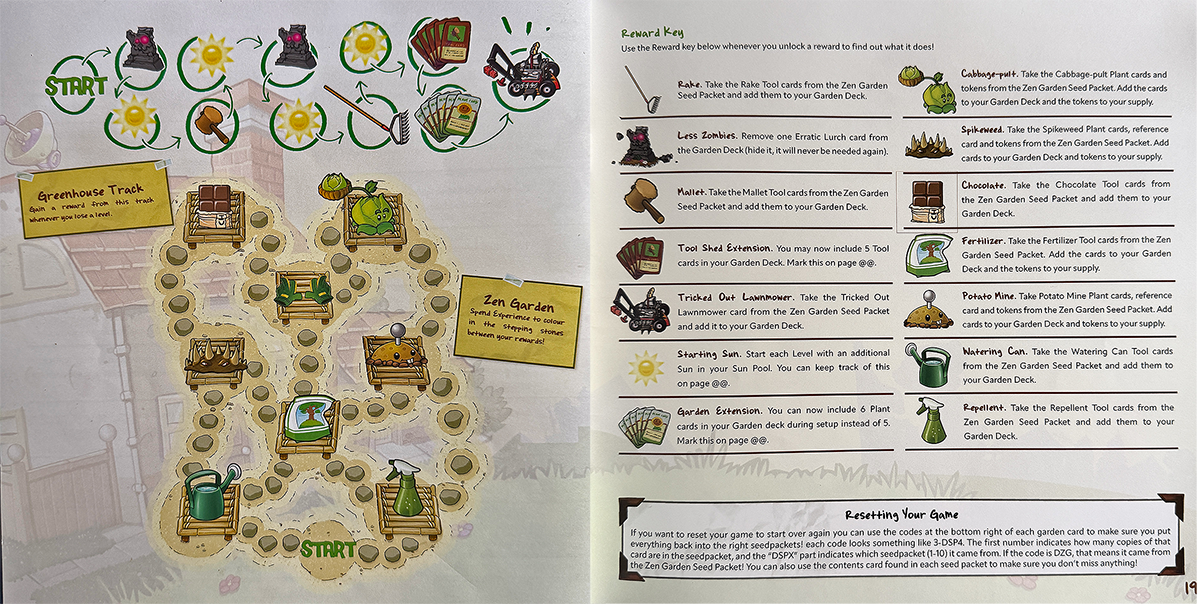
Zen Garden and Greenhouse
Now you get to visit the Zen Garden found at the back of the Level Booklet. At the top of the page is the Greenhouse Track. Anytime you lose a level, you move forward one spot on the Greenhouse track and claim the reward there (to make future attempts and levels easier).
The remainder of the page is the Zen Garden. Regardless of failure or success, you will accumulate Experience Points that can be spent to move around the Zen Garden. The Zen Garden contains several new Tools and Plants that you can add to your available Tools and Plants on any future playthroughs.
Horde Mode
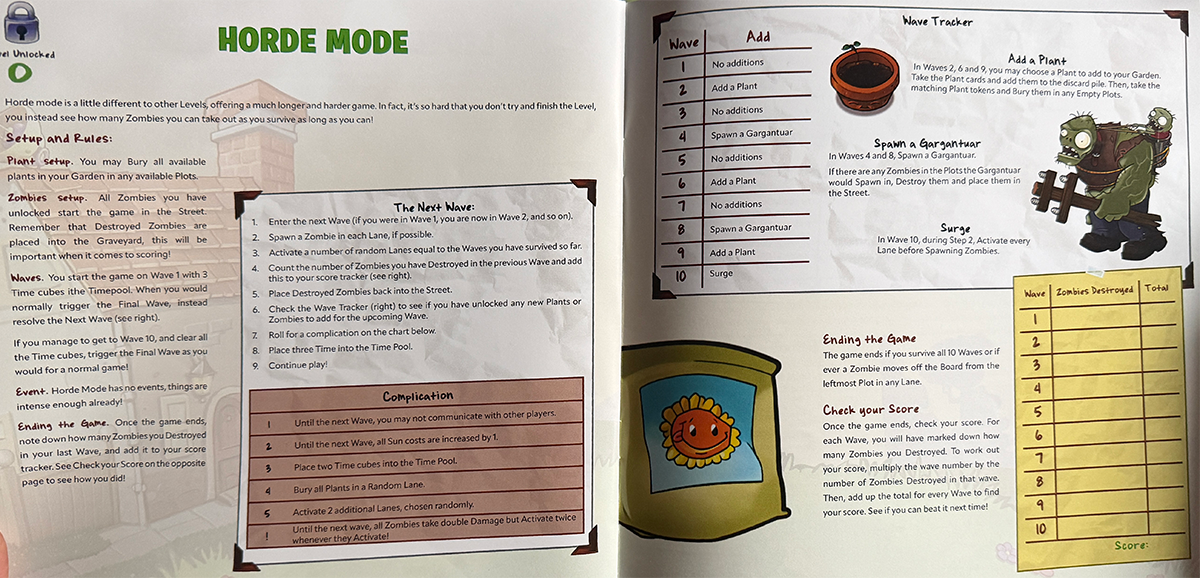
Horde Mode will sound familiar to anyone who had played a lot of Plants vs. Zombies, so its not surprise that it is also incporated into the game. Horde Mode unlocks once all other levels are completed, so we haven’t got there yet (we’re currently on Level 6), but it adds a whole different experience that changes randomly which adds a lot to the replayability of the game (which is already extensive).
Why You Should Play Plants vs. Zombies: The Board Game
We are huge fans of the Plants vs. Zombies video games in our house. We have played every version and rendition many, many times and as fans of the video game series, I cannot recommend this game enough to like minded fans. My son and I both agree that Plants vs. Zombies: The Board Game manages to perfectly capture the feel and play of the video game in a tabletop version. The light legacy features of the game (opening Seed Packets, tracking your progress and experience, and unlocking the Zen Garden upgrades), definitely follow along surprisingly well with how the video game works.
The game also has a lot of replayability since you can always go back and replay levels – taking advantage of any new Plants or Tools you’ve unlocked along the way (while also contending with the added difficulty of any new unlocked Zombies)!
While I obviously haven’t played any of them or seen them yet, I would be remiss to not mention that the game is already well-funded on Kickstarter with a ton of mini-expansions, the Night Expansion, even more new Plants, Tools, and Zombies, Challenge Cards, Random vens and more. All of the add-ons increases the replayability exponentially! And yes, there are also a ton of minis available as well.
Lastly, I also wanted to mention that with only a couple of tweaks to the rules, the game can be played in solo mode adding even more options to get it to the table.
For more information or to make a pledge, visit the Plants vs. Zombies: The Board Game Kickstarter page!
Click here to see all our tabletop game reviews.
 To subscribe to GeekDad’s tabletop gaming coverage, please copy this link and add it to your RSS reader.
Disclosure: GeekDad received a copy of this game for review purposes.


Will James

Will is a geeky CosMaker and father of 13 and 10-year-old geeks-in-the-making living in Seattle, Washington. He loves reading, comics, cosplay, games (tabletop and video sorts), and robots - especially Transformers. He's also a custom prop and costume builder at Sionnach Studios.


