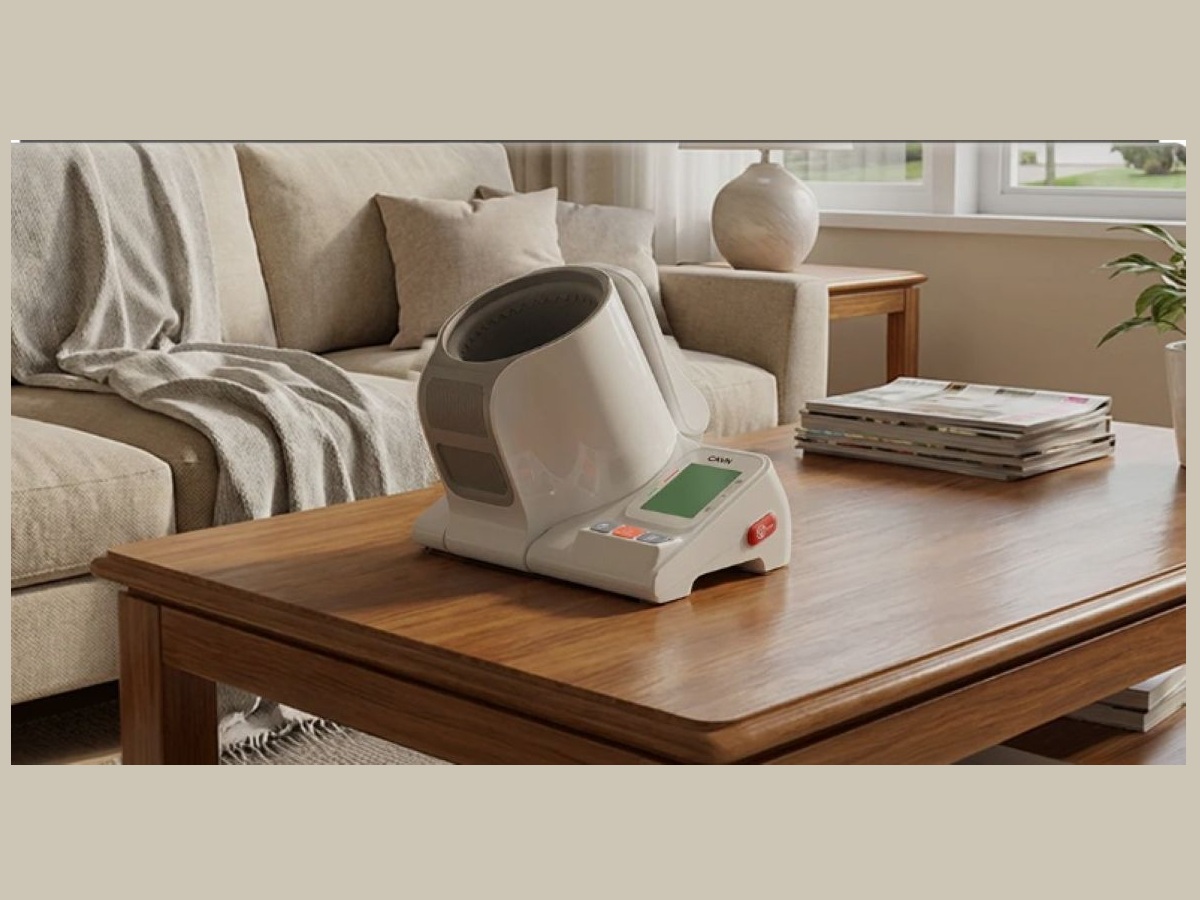
According to the University of Southern California, almost half of adult Americans have hypertension or high blood pressure. Unfortunately, about 75% of those do not have their blood pressure under control. Since there are often no symptoms, many people are not aware they have high blood pressure. For those who have hypertension, it is important to regularly monitor their blood pressure. Traditional electric blood pressure monitors can be difficult to use since putting on a cuff the correct way by yourself with only one hand is not very easy. Now that job is much easier with the CAVN Blood Pressure Monitor.
What Is the CAVN Blood Pressure Monitor?
The CAVN Blood Pressure Monitor comes with the following:
- 1 blood pressure monitor
- 1 USB charging cable
- 1 user manual
- 1 quick start guide

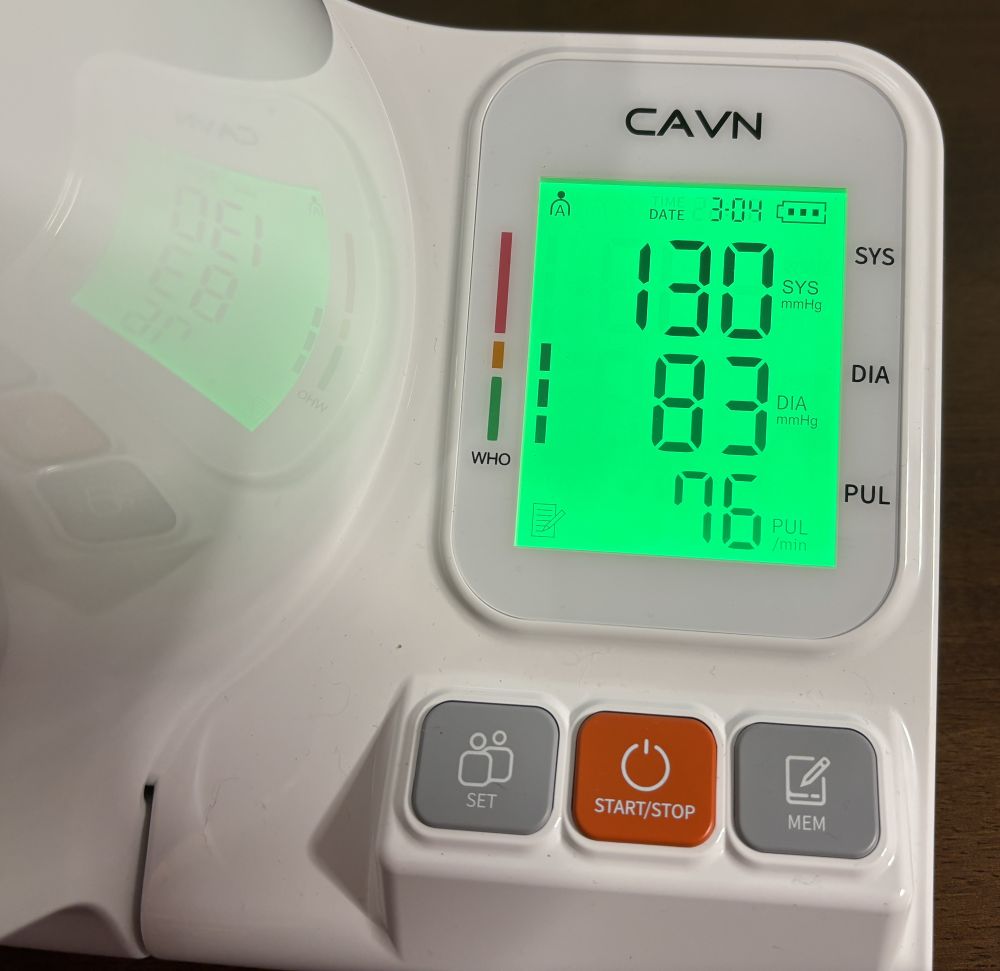
The CAVN Blood Pressure Monitor is all self-contained. It includes a charging cable which connects the USB-C input on the device to a USB-A output on a charger which is not included. Upon unpacking the monitor, just plug it in to fully charge it. Once this is done, it is ready to use. For the first time, hold down the ‘SET’ button for 3 seconds to open the time setting. Set the device to the current time and date so you can accurately record your results. The ‘SET’ button will also cycle between User A and User B with a normal press so you can use the device with two people.

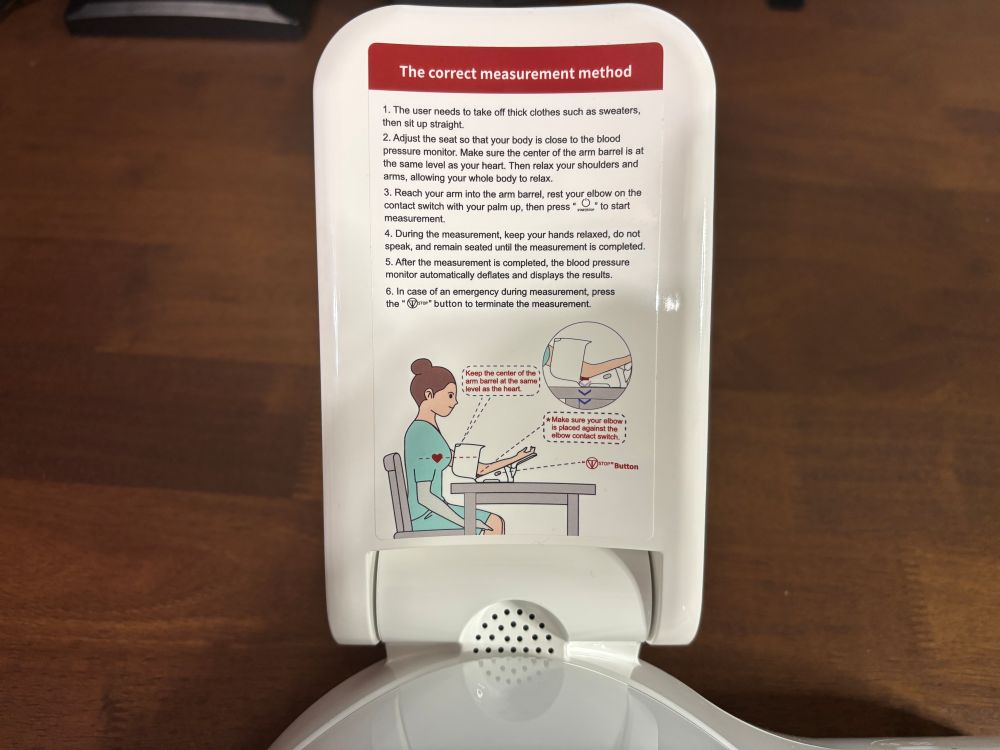
To operate the blood pressure monitor, set it on a table or desk so the cuff is at about the same height as your heart. Sit straight up and place your left arm into the cuff so that your elbow is resting on the elbow pressure switch. Rest your forearm on the arm bracket, which also includes instructions, with your relaxed palm facing up. Don’t cross your legs and have both feet on the floor. When ready to begin, press the START/STOP button and relax. Don’t talk or move during the measurement. When the measurement is complete, the cuff will deflate and the systolic and diastolic pressures will be displayed along with your pulse. If an emergency occurs during operation, press the emergency stop button along the right side of the device to immediately deflate the cuff. To review previous readings, press the MEMORY button to cycle through them.

The display features a bright, easy to read LCD screen. Reading will have a green, yellow, or red backlight indicator to help users quickly interpret the readings. The monitor can store up to 99 readings for each of two users. The cuff is designed to accommodate arm circumferences from 7.1″ to 16.5″. This cordless monitor is equipped with a 2000mAh rechargeable battery that can provide 150 measurements on a full charge. Finally, the blood pressure monitor has been FDA-cleared for at-home measurement.
The CAVN Blood Pressure Monitor is available from the CAVN store on Amazon for a suggest retail price of. $249.99. However, it is currently on sale for only $199.99. This post contains affiliate links. As an Amazon Associate, I earn from qualifying purchases. However, this has not affected my honest review.
Why You Should Get the CAVN Blood Pressure Monitor
I have had the opportunity to use the CAVN Blood Pressure Monitor for a few weeks. As someone who monitors my blood pressure, traditional monitors with the Velcro cuffs which you have to put on one-handed are not as easy to use as I would like. However, the CAVN Blood Pressure Monitor is so easy to use. I just place my arm in the barrel in the correct position and then press the START button. The device then takes care of everything else. The display has large digits making it easy to read and the memory keeps track of not only the readings, but also the time and dates for better tracking. I like the elbow switch and arm bracket which help ensure the user has their arm positioned correctly. Also, the readings from the CAVN monitor are very similar to what I am getting on my old Velcro cuff monitor.
I am a firm believer that if something can be made easier to do, a person is more likely to do it. Since I opened the box to the CAVN monitor, I have been checking my blood pressure more regularly. I have it on the back corner of my desk so I can see it, then easily move it to where I am sitting, insert my arm, and in about a minute I am finished. The more I do this on a regular basis, then it becomes a habit. After using the monitor, I recommend it for anyone who needs to check their blood pressure on a regular basis. It can also make a great gift for a family member who is or should be monitoring their blood pressure.
For more information on the CAVN Blood Pressure Monitor or to make a purchase, visit the the CAVN store on Amazon (affiliate link).
Disclosure: GeekDad received a sample of this item for review purposes.