If you’re an Xbox gamer looking for a new controller, now’s a great time to shop as your choices are plentiful. Back when I first started playing Overwatch, I realized that I needed a controller that offered more features than what you can find in the still-excellent standard Xbox controller. So I graduated to the Xbox Elite Series 2 controller, with its back paddles and customizable joysticks. And while I loved that controller, I’d find I’d burn through ones in about a year. And so the search for something similar, yet better, began.
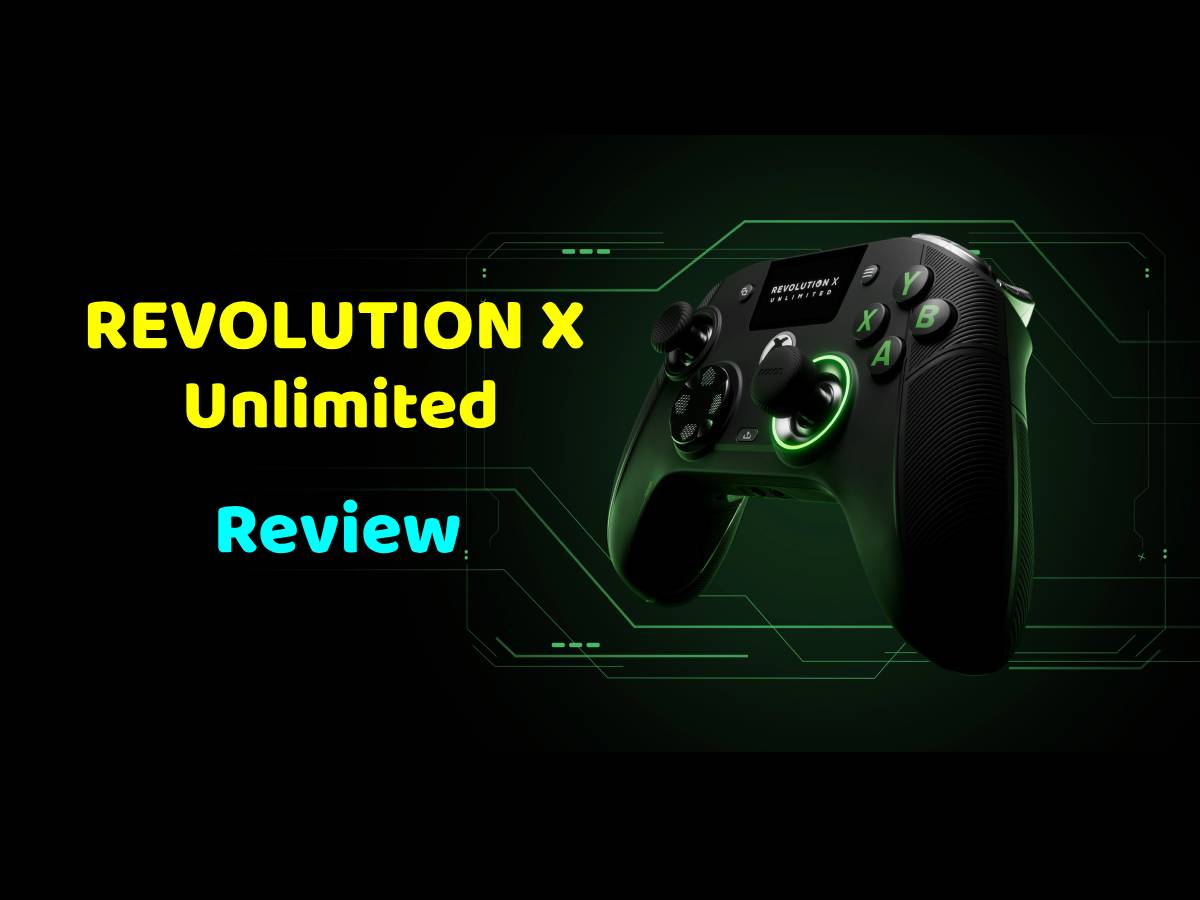
Back in April, Nacon released the Revolution X Unlimited controller, a pro wireless controller designed specifically for Xbox and PC. They recently sent me a unit to test drive.
What Is the Nacon Revolution X Unlimited?
The Revolution X Unlimited is an officially licensed, wireless controller for use with Xbox and PC. It comes with the following features:
- Instant Triggers: adjustable instant triggers with micro-switch components.
- Mechanical Precision: micro-switch components for ultra-responsive gameplay. 6 additional shortcut buttons that can be configured with keyboard keys pc mode only.
- Customization via LCD Screen: easy and intuitive customization, mapping programming, and audio source mixing.
- Hall Effect Magnetic Technology: joysticks and triggers benefit from greatly enhanced precision and durability through magnetic effect, preventing “joystick drift”.
- Wireless Connectivity: 2.4GHz USB radio frequency, Bluetooth compatible with Android devices.
- Total Customization: 3 sets of weights, 6 joystick heads, 2 D-pads, storage case, 4 joystick rings (two medium and two large), and more than 60 customization options.
- Application: possibility to import up to 4 custom profiles per platform and program the 6 shortcut keys via a customization application available on PC and Xbox. Specific programming of shortcut keys to assign them to keyboard keys (in PC mode). Joystick range adjustment, audio mixers and pre-recorded profiles available.
- Vibration: four vibration motors (two in the handles and two in the triggers).
- High-Performance PC Mode: latency reduced to 1ms with wired connection and 2ms with wireless connection, Gyroscope function to simulate a joystick or the D-pad. Mapping of PC keyboard keys to controller buttons.
- Long Battery Life: +10 hours battery life for extended gameplay without needing to recharge the controller.
- Charging dock : store and charge your controller easily in six hours with the included charging station
The Revolution X Unlimited controller retails for $199.90, and is available on Amazon or directly from Nacon.

Unboxing the Revolution X Unlimited
When you open the Revolution X Unlimited box, you’re greeted by a Nacon-branded clamshell storage case. Opening it up, you’ll find a number of goodies inside:
- Revolution X Unlimited controller
- Charging Station
- 3m USB-C cable
- USB dongle
- Accessory storage box
- 2 D-pads
- 6 Weights
- 6 Joystick heads (2 concave, 4 convex)
- Metal joystick rings
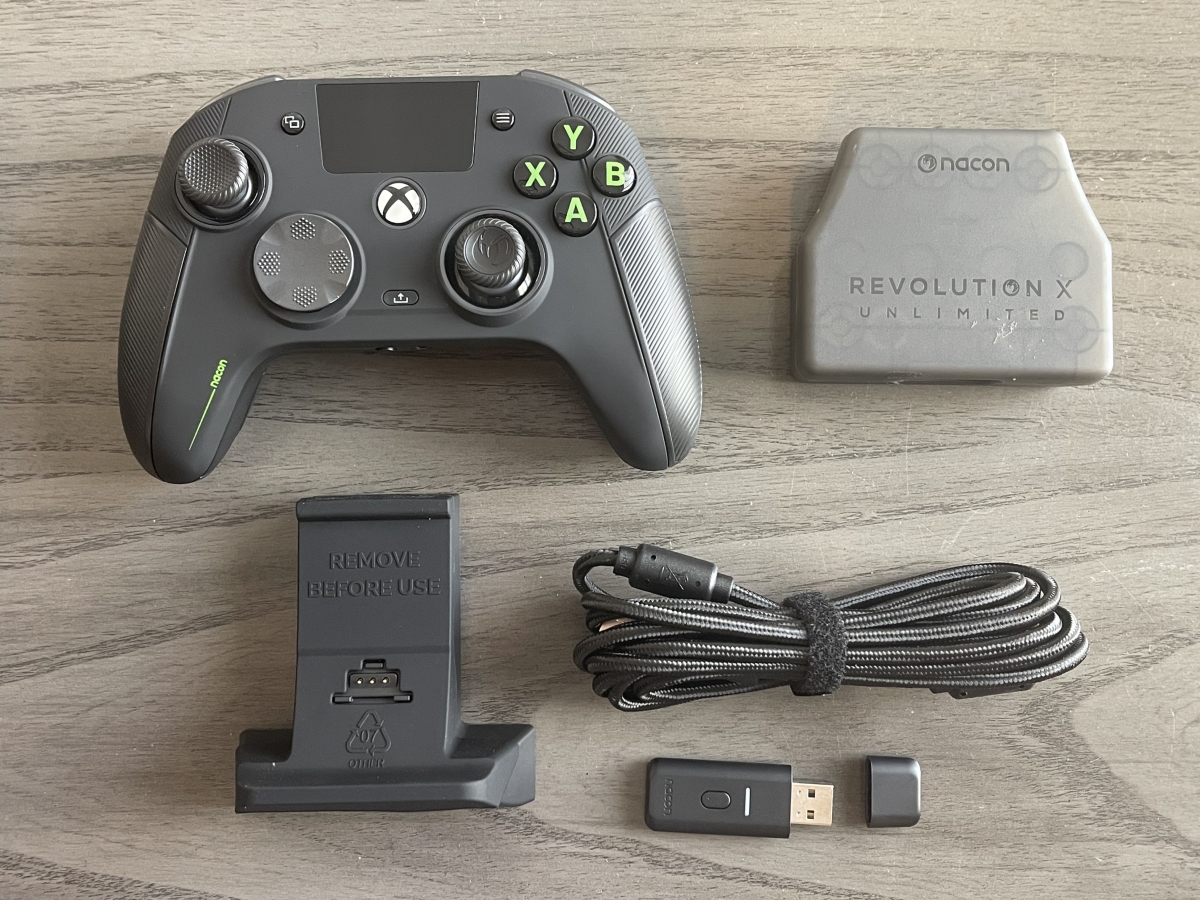
Already placed inside the accessory storage box are the majority of the accessories:

It’s very handy that everything fits inside, but that does make for a larger case than you’ll find with most controllers.
Here are a few different views of the Revolution X Unlimited. As you can see, there are a lot of buttons and switches:
I won’t bore you as to what each and every button and switch does on the controller- if you’re interested, you can download the user manual to read at your leisure.
Setting Up the Revolution X Unlimited Controller
To start with, I charged up the controller. You can either use the charging station, or connect the USB cable for fast charging. As I was setting the controller up for use with my Xbox, I plugged the charging station into one of the USB ports on my Series X and placed the controller on the cradle. To fully charge the controller takes about 7 hours.

Once the controller was charged, I then went to adjust profiles using the Revolution X Unlimited application. This app is available on both Windows and Xbox, and I downloaded it for both. As noted in the instructions, you must manually set the controller to wired and advanced modes in order to make changes via the app. Having already connected the charging station to the Xbox, this was a bit of an inconvenience as I had to now disconnect the station and plug the cable into the controller to make adjustments.
An interesting sidenote: to play wirelessly, you can either plug the USB dongle into a USB port, or slot it into the charging station itself, so that you don’t have to take up more than one USB port to operate both the charger and the wireless dongle.
There are a total of 20 profiles that you can store on your controller, spread across Xbox, PC, and Bluetooth. These profiles are customizable in the app, and you have a pretty good amount of granularity when it comes to adjusting the controls and appearance of the Revolution X. Here’s what you can adjust via the app:
• Create, optimize, download and share controller settings profiles with other expert players.
• Easy update of your controller
• Shooter pro mode : Joystick digital deadzone deactivation, increased joystick sensitivity option
• Full mapping of all buttons and the 6 shortcut buttons
• Presets and manual configuration of stick and trigger sensitivity
• Inversion of left/right sticks
• 4 or 8-way directional pad
• Customizable right stick lighting
• Audio menu to access equalizer settings based on game type
• LCD Screen brightness, battery ECO Mode
• Vibration motors ON/OFF
All of that can be a bit overwhelming for the casual player, but then again, the casual player is not the target audience. The Revolution X is a pro controller, so competitive players are going to want to be able to tweak settings to get every bit of edge that they can.
There are also several changes that you can make on the fly. The Revolution X Unlimited has a built-in screen, and in addition to giving the user information such as the current profile, what mode the controller is in, and how much battery life is left, you are also able to change many settings directly on your controller. However, the app is by far the easier and more intuitive way to adjust the Revolution X Unlimited settings.

While I love the screen, especially with the status information, it’s placed in the same location where the classic Xbox controllers have the Nexus button (the Xbox gem). Having had years of muscle memory with Microsoft controllers, that has led me several times to trying to press the screen when shutting down my Xbox or doing other functions that require the Nexus button.
There are some aspects of the Revolution X Unlimited controller that you can change without using either the app or the onboard interface. There are physical switches to change the triggers to a mouse click-like instant setting. You can also easily swap out the different joysticks and D-pads.
The controller is already on the heavier side as far as Xbox controllers go, but you can slide off the hand grips and add any of the included weights to increase the weight.
Using the Revolution X Unlimited Controller
As noted, there’s plenty you can do to customize the Revolution X Unlimited to your playstyle. But how does the controller perform?
I’ve been using the Revolution X Unlimited for the last few weeks on an almost daily basis, playing the competitive hero shooter Marvel Rivals. At first, the controller definitely took some getting used to. One of the things I absolutely hated at first were the programmable buttons on the underside of the controller. Instead of paddles, like you’ll find on the Xbox Elite 2 controller and several other pro Xbox controllers, there are mouse-like switches. The positioning and feel of these buttons are different enough from what I’m used to, that it took me about 4-5 hours of gameplay to get used to them and not miss my button presses. The good news is, once you’re past the learning curve with that, they operate just fine.
Overall, the controller is quite responsive, and while I can’t definitively say that my gameplay has improved using the Revolution X Unlimited, it’s at the very least on par with my use of the Xbox Elite 2, another pro controller. While I’ve tended to burn through my Xbox Elite 2 controllers after a year or two, only time will tell with the Revolution X Unlimited. Though already there’s one thing that I don’t have to worry about: as the Revolution X Unlimited uses Hall Effect joysticks, I’m unlikely to have to suffer from joystick drift, which of course is a game-killer in competitive shooters.
There were a few things that I didn’t love about the Revolution X Unlimited. First, I found the vibration to be unimpressive, even once I adjusted it to maximum in the app. While I don’t want the controller vibrating out of my hand, I do appreciate a bit more rumble for immersion.
I once accidentally hit the profile button during the middle of a Marvel Rivals match, and suddenly my controller settings were different from what I was expecting. The profile button’s location makes it just a little too easy to hit during some frantic gameplay, but thankfully, this has only happened to me once so far.
Finally, the finish on the controller is a fingerprint sponge. You will probably find yourself cleaning this controller a bit more often than others.

Issues aside, I’ve been enjoying my time with Nacon’s Revolution X Unlimited controller. It’s responsive in gameplay, and is easy to switch back and forth between playing on PC and Xbox. The Bluetooth capability in the controller makes me wish I had built-in Bluetooth on my PC, but I can easily pair it with my phone or tablet to play games there. Importantly for a pro controller, there’s a lot of adjustments you can make to customize the Revolution X Unlimited to your play style and personal comfort. And even though it’s a larger controller, I had no problem holding it in my grip, and my hands are quite average in size. If you’re in the market for a wireless gaming controller with a lot of customization and features, then you may want to take the Revolution X Unlimited for a spin.
For more information on the Revolution X Unlimited, head to the Nacon website.
Nacon sent a unit for evaluation, but had no input into this review. As an Amazon affiliate, I may earn a small commission from qualified purchases.